
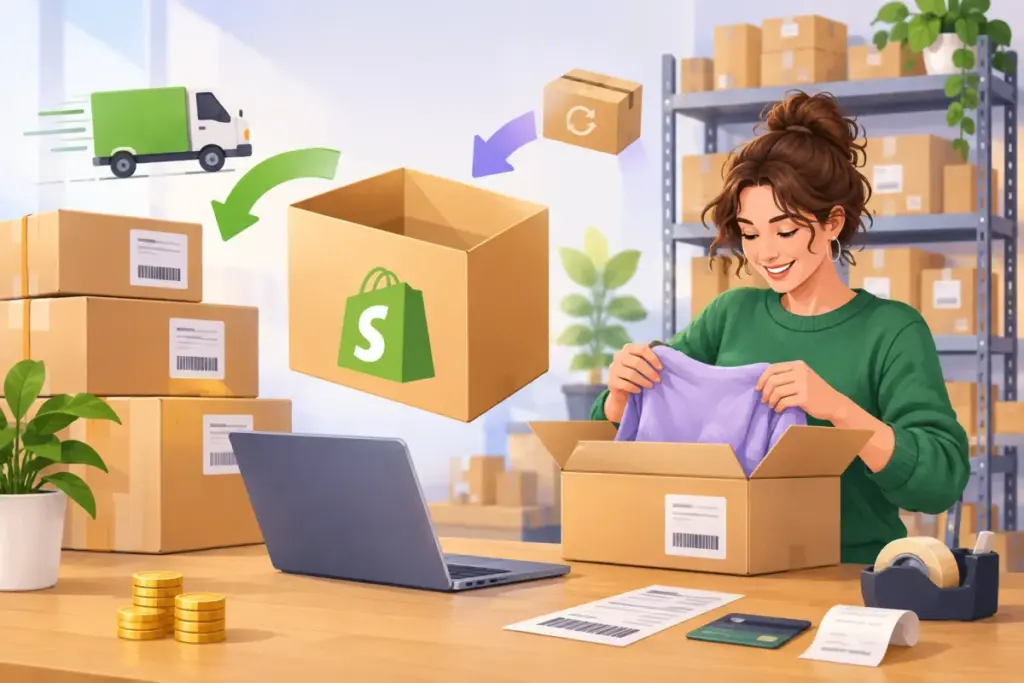
shopify fulfillment covers how orders move from payment to delivery—and how products come back when customers need a return. This guide explains the main fulfillment options, the costs to calculate, and how to choose a setup that fits your products, customers, and workload.
What Is Shopify Fulfillment?
In practice, shopify fulfillment includes storing inventory, picking ordered items, packing parcels, shipping them, and providing tracking information. It also includes the reverse flow: receiving returned products, inspecting them, deciding whether to restock, and completing the refund or exchange.
In the Shopify admin, fulfillment records show which orders have been fulfilled. Merchants can use Shopify’s fulfillment tools to manage their own process or connect outside providers. The right approach depends on who holds your stock, who prepares each shipment, and who takes responsibility when something goes wrong.
Shopify Fulfillment Options Compared
There is no single best shopify fulfillment model for every store. Start with the work your products require and the volume your team can reliably handle, then compare these options.
Self-Fulfillment From Your Own Space
You store products and prepare orders yourself, whether from a spare room, shop, or dedicated workspace. This gives you direct control over stock checks, packaging, and the condition of every outgoing order.
Self-fulfillment can keep startup commitments low and makes branded packing easier to control. However, picking, packing, and arranging shipments take time, while inventory and packing materials consume space. It generally suits early-stage stores or manageable order volumes, especially when products need personal attention.
Before choosing it, time a complete packing session—not just one easy order. Include finding products, checking quantities, printing documents, packing, and handing parcels over for shipping. That shows how much daily capacity you actually have.
Working With a Shopify Fulfillment Company (3PL)
A third-party logistics provider, or 3PL, stores your inventory and picks, packs, and ships customer orders. A shopify fulfillment company typically connects through an app or integration so order and inventory information can move between systems.
This model can support growth without requiring you to operate a warehouse. Depending on the provider, you may gain access to multiple warehouse locations and shipping rates that suit your order profile. Confirm these benefits against an actual proposal rather than assuming every provider offers the same coverage.
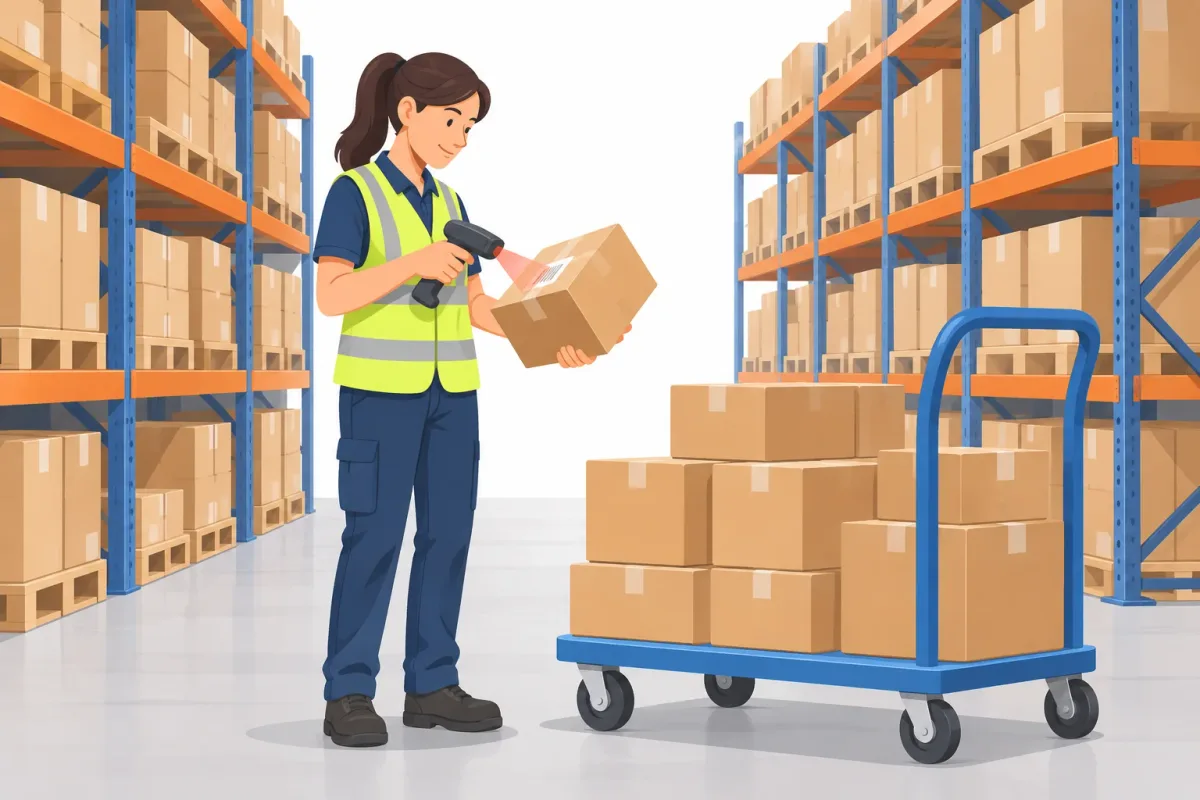
The trade-offs include service fees, less direct control over packaging, and the work of transferring inventory. Inventory synchronization is especially important: establish which system controls stock quantities and how discrepancies are investigated.
Shopify Fulfillment Network and What Happened to It
Shopify Fulfillment Network was Shopify’s own branded fulfillment program. Shopify sold its logistics business to Flexport in 2023, so check Shopify’s fulfillment documentation for current availability before building your operations around it.
When researching shopify fulfillment, check the date of any guide discussing this program. Older descriptions may not reflect what merchants can access today; confirm the current offering, eligibility, responsibilities, and terms directly.
Dropshipping as a Fulfillment Model
With Shopify dropshipping, the supplier ships directly to your customer, and you do not hold stock yourself. This removes your own storage and packing work, but it also puts important parts of the customer experience outside your direct control.
Margins can be thinner, and you have less control over shipping speed and returns. Before listing a product, establish where returns go, who pays for return shipping, and what happens if the supplier sends the wrong item.
Hybrid Fulfillment
A hybrid shopify fulfillment setup combines models. For example, a 3PL might ship best-sellers while you handle handmade products or oversized items yourself. This lets you outsource repetitive work without forcing every product into the same process.
Write clear routing rules and check what happens when an order contains products held in different places. Customers may receive separate packages, and your costs and delivery messages need to reflect that.
| Option | Who stores inventory? | Control | Best for |
|---|---|---|---|
| Self-fulfillment | You | High | Early-stage stores |
| 3PL | Outside warehouse | Shared | Growing order volume |
| Former SFN program | Confirm current offering | Confirm current terms | Current research required |
| Dropshipping | Supplier | Lower | Stores avoiding stockholding |
| Hybrid | You and partners | Varies | Mixed product ranges |
When to Move From Self-Fulfillment to a 3PL
Most stores begin by packing orders themselves, and that is a sensible start. The real question is when your own time stops being the cheapest resource you have.
Watch for these signals:
- Packing takes hours that should go to marketing, sourcing, or product work.
- Orders slip behind during busy periods or promotions.
- Stock and packing materials crowd the space you live or work in.
- Customers who live far away wait a long time for delivery.
- Picking errors rise as your number of products grows.
Not every signal means you should outsource right away. A better shelf layout, batch printing of packing documents, or ready-made packaging can solve some problems. Try the simple fixes first, then request quotes if the problem remains.
If you do move, migrate gradually. Send a small group of products first and compare ship times and error rates against your own numbers for a few weeks. Then expand, keeping a small buffer of stock at home for urgent replacements and for items you never plan to outsource.
How Much Does Shopify Fulfillment Cost?
Your shopify fulfillment cost is more than postage. Compare the total expense of getting sellable stock into position, delivering orders, and dealing with exceptions. For self-fulfillment, include your own labor rather than treating your time as free.
Common Fulfillment Fees to Look For
- Receiving and inbound: accepting deliveries, counting stock, and preparing it for storage.
- Storage: space occupied by your inventory, including stock that sells slowly.
- Pick and pack: retrieving products and preparing each order, sometimes with additional item charges.
- Packaging materials: boxes, mailers, protective filling, tape, and inserts.
- Postage: shipping charges based on the parcel and destination.
- Setup and minimums: onboarding, integration, or minimum service commitments where applicable.
- Returns processing: receiving, inspecting, restocking, or otherwise handling returned goods.
Ask what triggers each charge and what is included. For example, “pick and pack” does not necessarily mean every packaging material or special packing instruction is covered. Compare providers using the same sample order profiles.
How to Calculate Your Cost Per Order
Use a consistent period, such as one month, and calculate shopify fulfillment costs with this formula: total fulfillment expenses for the period divided by orders shipped during that period. Keep the categories consistent when comparing self-fulfillment with outsourcing.
- Add inbound transport and receiving expenses attributable to the period.
- Add storage, picking, packing labor, materials, and outbound postage.
- Add relevant software, setup allocations, and minimum-charge shortfalls.
- Add returns shipping and processing costs borne by your business.
- Divide the total by the number of orders shipped.
Calculate a second figure for difficult orders, such as oversized parcels or multi-item shipments. A single storewide average can hide products that cost much more to fulfill than others. For planning, repeat the calculation with your expected order mix, not just your easiest orders.
Hidden Costs That Eat Margin
Returns, split shipments, slow-moving inventory, and distant shipping zones can change your shopify fulfillment budget substantially. Ask how long-term storage is charged, whether separate parcels create extra handling fees, and how return inspections are billed.
Include relevant subscription and platform expenses in your overall operating budget. Reviewing Shopify pricing plans and fees alongside fulfillment quotes helps you distinguish platform costs from warehouse and shipping charges.
Finally, check the consequences of inventory mistakes. Establish who pays for correcting a mispick, resending a damaged parcel, or investigating missing stock. These responsibilities should be clear before the first shipment leaves.
How to Choose a Shopify Fulfillment Company
The right shopify fulfillment company should fit your current orders and a realistic growth plan. Give each candidate the same product information and order examples, then compare written answers against this checklist.
- Order volume and growth: explain normal demand, seasonal peaks, and likely changes.
- Product type: confirm handling requirements for fragile, oversized, or perishable goods.
- Warehouse locations: compare stock placement with where your customers actually live.
- Shopify integration: confirm order transfer, inventory synchronization, and error handling.
- Shipping services: check available carriers, delivery options, and order-processing expectations.
- Packaging and branding: document permitted materials, inserts, and special packing instructions.
- Returns handling: establish inspection, restocking, and exception procedures.
- Transparent fees: request all applicable charges, minimums, and additional-work rates.
- Support and onboarding: identify your contact, launch steps, and escalation process.
Ask these questions before signing:
- What happens if inventory counts disagree between systems?
- How are incorrect, damaged, or delayed orders investigated?
- Which packing or return tasks require an extra charge?
- How will we test the connection before sending live orders?
- How can we retrieve inventory if we change providers?
Request a walkthrough using one straightforward order and one exception, such as a partial return. A process that sounds simple in a proposal can involve several handoffs in practice. Make sure each handoff has an owner and a clear next step.
Shopify Fulfillment and Returns: The Step Most Guides Skip
A shopify fulfillment plan is incomplete without a return process. Any fulfilled order may come back, and someone must receive the parcel, inspect its contents, decide what can be restocked, and arrange the appropriate refund or exchange.
Decide whether returns go to you, your 3PL, or a separate return address. Give warehouse staff written instructions for damaged goods, missing accessories, opened packaging, and items that do not match the request. Also define who pays return shipping and how those costs appear in your reporting.
Where Returned Items Go
Return destinations should be part of your shopify fulfillment planning, especially if customers live far from your store. A convenient drop-off location may be useful when creating return shipping through third-party carriers costs more than collecting returned items together.
Yanet Returns & Exchanges lets merchants create multiple return locations. Go to Settings > Return Location and select Add New Location. Customers can drop items at convenient places, and the merchant can collect them at once.
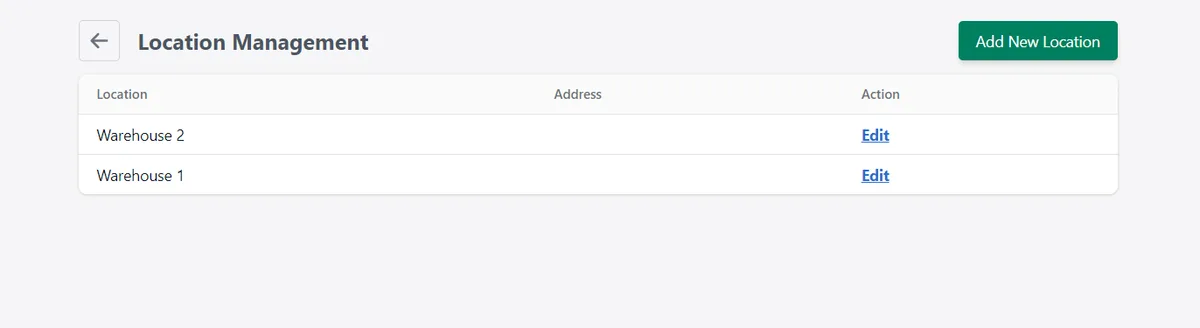
Where shipping is the better option, make the destination and instructions clear before the customer sends anything. This guide explains how to create and send return shipping labels.
Keep the receiving address separate from any assumptions about restocking. An item arriving at a return location still needs inspection before it becomes available for another customer to buy.
Receive, Check and Restock Returned Items
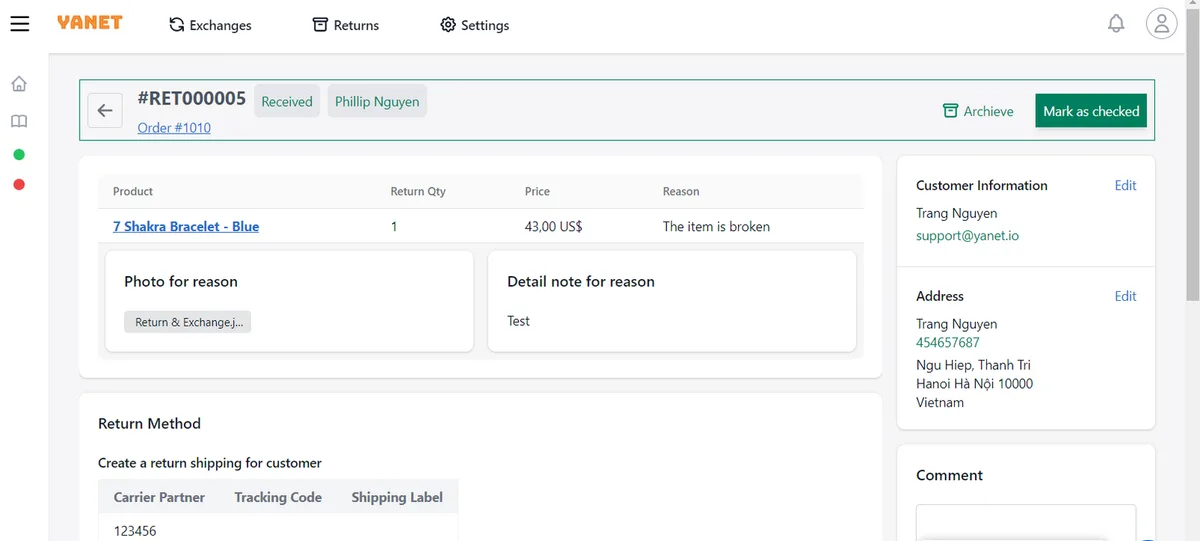
In Yanet’s admin, the return request moves through four phases. Assign responsibility for each phase so a parcel does not sit unprocessed after arrival.
- Approve or decline the request. Open the Request Detail page and review the request. Only approved requests move on to the next phase.
- Receive the returned items. Once the products arrive, click Mark as Received.
- Check the returned items. Inspect their condition and click Mark as Checked. Then choose whether to restock them to inventory and select the warehouse for restocking.
- Confirm the refund. Click Refund to confirm the amount and send money back through the customer’s selected refund method. The request is then completed.
This sequence keeps receipt, inspection, and refund decisions distinct within your shopify fulfillment workflow. If notifications are enabled in Email Notification settings, the customer receives an email update after each phase.
Keep Customers Out of Your Inbox With a Return Portal
A customer-facing portal gives returns a defined starting point within shopify fulfillment operations. Yanet provides a Return Portal for customers to submit requests and a merchant dashboard where your team can review and manage them.
The customer opens the portal, finds the order, selects an eligible item, and chooses a return or exchange. They then select a reason, choose from the available refund or exchange solutions, and submit the request.
Try Yanet Returns & Exchanges to manage this return-side workflow. It supports return and exchange policies and rules, reasons, different refund and exchange solutions, return shipping and carrier management, email notifications, and multiple languages.
Automated approvals are available on eligible plans, while analytics and request-data exports support review of your returns operation. Yanet handles returns and exchanges; it does not replace a warehouse or provide outbound fulfillment services.
Document the process for staff who work in Shopify as well. This walkthrough explains how to create and process a return in your Shopify admin, helping you distinguish those tasks from the workflow your team follows in Yanet.
A Simple Shopify Fulfillment Setup Checklist
Turn your shopify fulfillment decision into a documented launch plan. Complete these steps before moving all orders to a new process.
- Map demand: record typical order volume, peak periods, product sizes, and customer destinations.
- Choose the model: assign products to self-fulfillment, a 3PL, dropshipping, or a hybrid setup.
- Set shipping rates and zones: check that customer-facing charges and delivery expectations match your operation.
- Configure inventory locations: confirm where stock sits and how quantities stay synchronized.
- Define packaging: document materials, protection, branding, and product-specific instructions.
- Test sample orders: check order transfer, picking, packing, tracking, cancellations, and exceptions.
- Set the return policy and address: define eligibility, shipping responsibility, receiving, inspection, and refunds.
- Monitor performance: track ship time, cost per order, and return rate, then investigate changes.
Conclusion
The best shopify fulfillment setup matches your products, capacity, and customers. Compare self-fulfillment, 3PLs, dropshipping, and hybrid models; verify the current status of anything described as Shopify Fulfillment Network. Calculate the full cost, including storage, labor, materials, postage, and returns.
Choose clear responsibilities over vague promises, and test the process before scaling it. For the return side, try Yanet Returns & Exchanges and learn how to set up a self-service return page so customers and staff know what happens next.
FAQ
What is Shopify fulfillment?
The term shopify fulfillment covers storing products, picking and packing orders, shipping parcels, and providing tracking information. A complete operational plan also covers returns, including receiving, inspection, restocking, and refunds.
How much does a Shopify fulfillment company cost?
A shopify fulfillment company may charge for receiving inventory, storage, picking and packing, packaging materials, postage, and returns processing. Check for onboarding charges, integration fees, minimum commitments, and additional handling costs before comparing proposals.
Can I fulfill Shopify orders myself?
Yes. You can store inventory, pack orders, and manage fulfillment yourself using Shopify’s fulfillment tools. Include your labor, workspace, packaging, and shipping expenses when deciding whether this remains practical as orders grow.
How are returns handled when I use a fulfillment company?
Your agreement should specify whether returned products go to the fulfillment provider, your business, or another return address. Set written instructions for receiving, inspection, restocking, and reporting, and clarify who authorizes refunds and pays return shipping.