
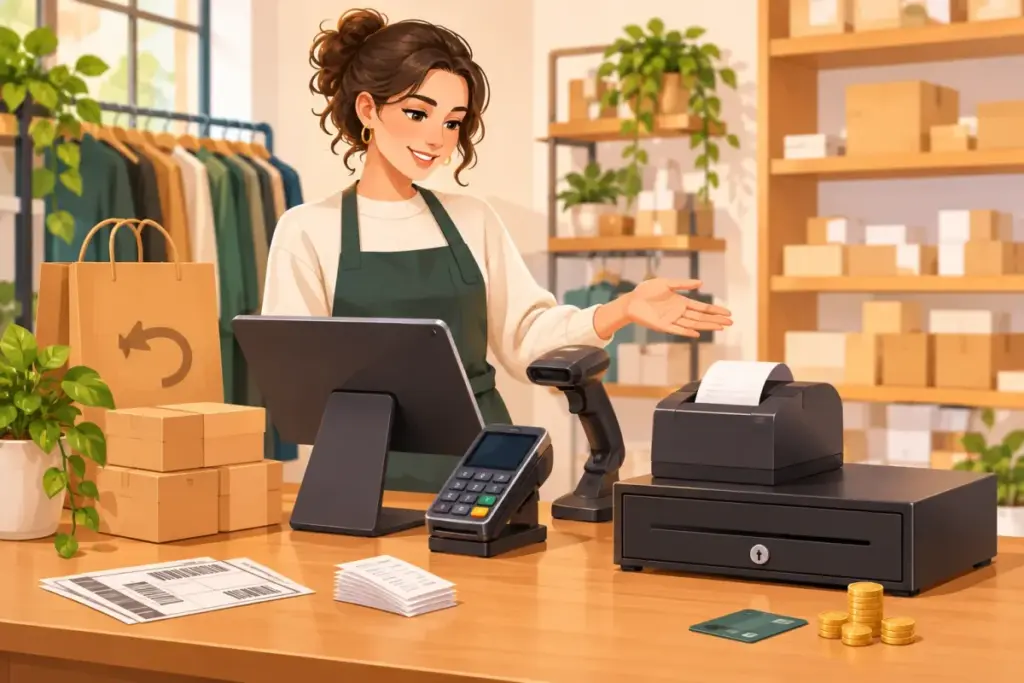
Choosing pos hardware shopify merchants can rely on starts with where you sell, how customers pay, and what staff need at checkout. Use Shopify’s official POS hardware page to compare selling setups before committing to individual devices.
This guide breaks down pos hardware shopify costs, compares mobile and countertop kits, and explains which accessories can wait. It also covers barcode preparation and returns, because an efficient checkout needs more than a way to collect payment. All prices below are approximate: confirm current prices and compatibility before buying.
What pos hardware shopify merchants actually need
Shopify POS runs on a phone, tablet, or POS device. Your hardware choices should follow your selling situation rather than a shopping list of accessories. A market stall with limited space has different needs from a permanent counter serving customers throughout the day.
The essential requirement is a way to take payment. Beyond that, your pos hardware shopify purchase depends on your products, payment mix, and checkout process. A barcode scanner, receipt printer, and cash drawer are optional purchases, not automatic requirements for every shop.
- Payment setup: Choose how staff will accept payments in your selling environment.
- Barcode scanner: Consider one when scanning products would reduce manual lookup work.
- Receipt printer: Include one if printed receipts are part of your checkout process.
- Cash drawer: Prioritize one when you accept cash regularly.
Before comparing Shopify POS hardware, write down your checkout steps from product selection to payment. Mark where staff need a device, then separate opening-day requirements from equipment you can add later. This prevents accessories from absorbing the budget before the payment setup is settled.
Shopify POS hardware by setup: pop-up, sales floor and counter
A useful way to compare pos hardware shopify options is to start with the place where the transaction happens. Shopify describes setups for pop-ups, sales-floor selling, and countertop checkout. Choose the closest match, then adjust it around your staff and available space.
Pop-ups and events
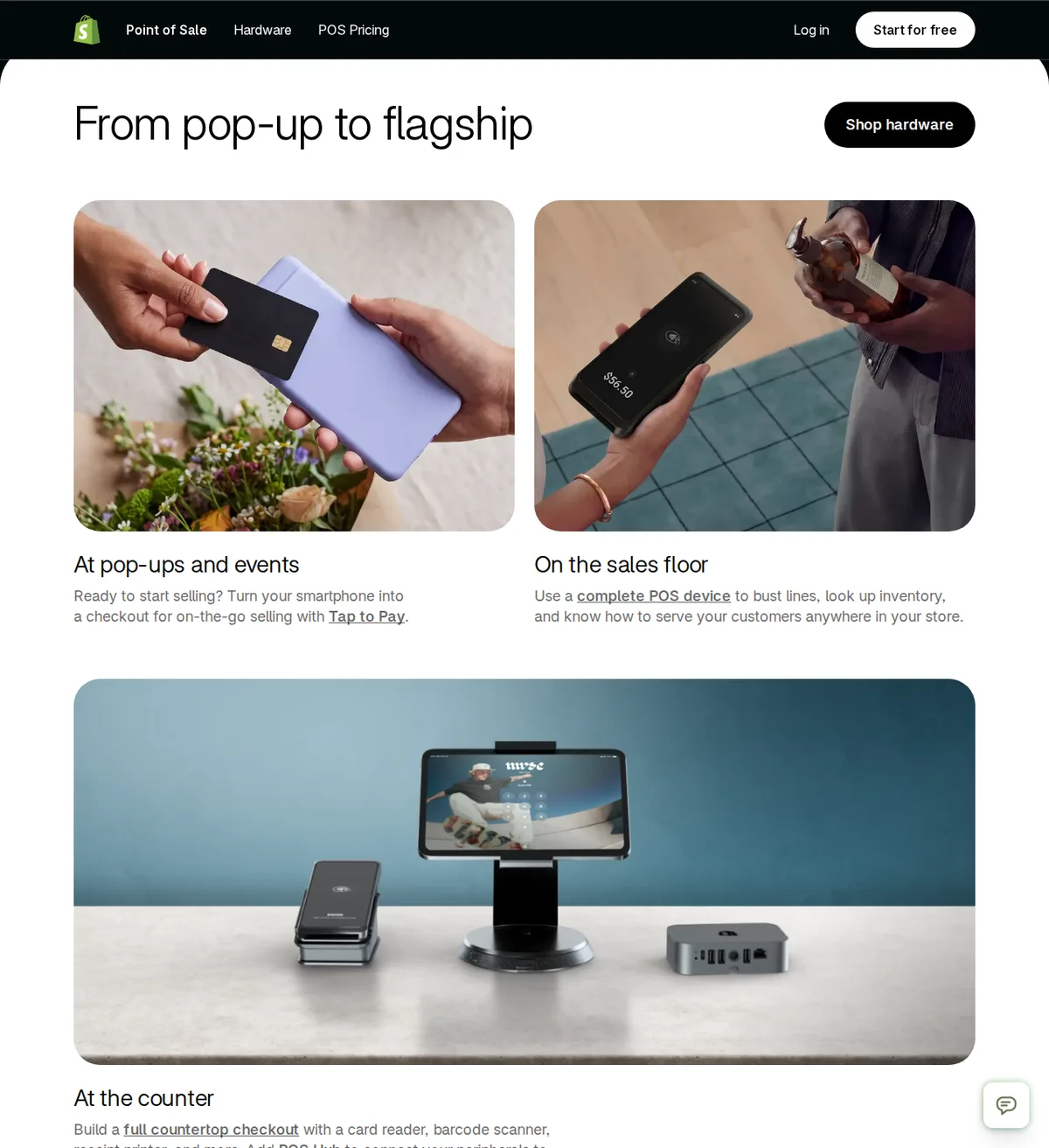
At pop-ups and events, Shopify says you can turn a smartphone into a checkout with Tap to Pay. That makes a phone-based setup worth considering before buying a larger kit. Confirm the applicable requirements on Shopify’s hardware page before relying on this approach for an event.
Keep your pos hardware shopify plan focused on what you can carry, arrange, and operate comfortably. Sketch the stall layout and decide where customers will stand, where products will sit, and how staff will handle payment during busy periods.
On the sales floor
Shopify describes a complete POS device for cutting lines, looking up inventory, and serving customers anywhere in the store. This suits a selling process where staff stay with shoppers rather than directing every purchase to a fixed checkout.
For this pos hardware shopify setup, decide who will carry the device and when staff should use it. Mobile checkout works best as a defined process, not simply an extra device that nobody knows when to pick up.
At the counter
For a full countertop checkout, Shopify lists a card reader, barcode scanner, receipt printer, and other peripherals. You can add a POS Hub to connect peripherals. Plan this pos hardware shopify arrangement around the counter space available, including room to scan products and hand over purchases.
Shopify POS card reader options
A card reader handles card payments within your checkout setup. When comparing a wireless approach with a countertop arrangement, think about where payment happens: beside the customer, across a small market table, or at a fixed register. The right choice follows that movement.
A shopify pos card reader typically costs approximately $49–$79, based on the pricing reference used here. Treat that as a planning range rather than a current quote. Confirm available models, compatibility, and prices in Shopify’s hardware store before ordering.

Your pos hardware shopify comparison should also distinguish a reader purchase from a complete checkout purchase. A relatively inexpensive reader does not include every other device you might want. Check what is included in each listing instead of assuming the pictured accessories come together.
If you already own a tablet, pairing it with a Bluetooth reader can lower upfront costs. However, a shopify pos card reader is only useful if it fits your intended setup. Verify the combination before using an existing device as the foundation of your budget.
Barcode scanners and label printers
A scanner can speed checkout and stock counts, but it needs readable product labels. Before adding one to your pos hardware shopify order, review whether your products and variants have clear, consistent barcode and SKU records. Hardware cannot fix confusing product identification on its own.
When choosing a Shopify barcode printer, start with the labels your team needs to produce. Decide which details should appear, how products will be identified, and where labels will be attached without covering information customers need.
For example, two variants of the same product should be easy for staff to distinguish. Make the variant information readable alongside the barcode, and check a sample label during a trial checkout before printing labels for the whole shop.
Yanet Retail Barcode Labels can generate and print barcode labels for products and variants. It supports custom label templates, barcode and SKU management, CSV imports, and bulk printing. Labels can show the product name, variant, SKU, barcode, and price.
Make label preparation part of your pos hardware shopify rollout rather than a task for opening morning. Create a sample batch, test scanning, and confirm that the product shown matches the item in hand. Then print the remaining labels in bulk once the format is right.
Receipt printers and cash drawers
A shopify pos receipt printer typically costs approximately $250–$370. Include one when printed receipts are part of your service process, but decide that process first. Do not buy a printer simply because it appears in a photograph of a complete counter.
A shopify pos cash drawer typically costs approximately $130–$140. If you only take cards, you can skip the drawer. Cash-heavy shops should prioritize one and decide how staff will handle opening cash, change, and the end-of-day count.
When planning pos hardware shopify purchases, treat these as separate decisions. A shop may want printed receipts without accepting cash, while another needs a drawer as part of its daily routine. Your payment policy and receipt process should determine the combination.
Check compatibility before buying either a shopify pos receipt printer or a shopify pos cash drawer. Also measure their intended positions: leave room for the drawer to open and for staff to reach the printer. A crowded counter can make otherwise suitable equipment awkward to use.
These accessories deserve space in the budget and on the counter. Keep both visible in your purchase list, even if you decide to postpone one.
Shopify POS hardware cost: what to budget for pos hardware shopify
Use the following ranges to build an initial budget, not as guaranteed current prices. Actual spending depends on the devices you already own and the accessories you choose. Check Shopify’s hardware store before buying, because prices and available products change.
| Item | Typical one-time cost |
|---|---|
| Card reader | Approximately $49–$79 |
| iPad stand or dock | From approximately $300 |
| Receipt printer | Approximately $250–$370 |
| Cash drawer | Approximately $130–$140 |
| Typical small-retailer hardware investment | Approximately $600–$850 |
The typical total is a reference range, not the sum of every item above or a guaranteed bundle price. Buying all listed components separately may cost more. For your pos hardware shopify budget, calculate the actual total from your selected devices rather than forcing the purchase into a headline range.
Hardware is only part of the first-year cost. POS Lite is included with every Shopify subscription. POS Pro costs $89 per month per location with monthly billing, or approximately $79 per month per location when billed annually. The full Shopify POS pricing breakdown explains these cost categories.
Keep one-time equipment spending separate from recurring software costs in your planning sheet. If you already own a suitable tablet, using it with a Bluetooth reader can reduce the upfront purchase. Confirm compatibility first, then price only the equipment you still need.
Shopify POS hardware kits compared
These three kits provide a starting point for comparing pos hardware shopify purchases. They describe different ways of working, not fixed bundles. Use the table to choose a direction, then verify the individual devices, current prices, and compatibility before ordering.
| Comparison | Mobile pop-up kit | Counter kit | Sales-floor kit |
|---|---|---|---|
| Best for | Markets, events, and temporary selling spaces | Shops with a fixed checkout point | Shops serving customers throughout the store |
| Devices | Your own phone or tablet plus a card reader | Tablet, stand, card reader, receipt printer, and cash drawer | A complete POS device for checkout anywhere in the store |
| Approximate cost | $49–$79 for the reader; existing device assumed | $600–$850 as a typical planning reference; confirm the complete component total | Check Shopify’s hardware store |
| Pros | Lower upfront spending when reusing a suitable device | Groups payment and checkout accessories at one station | Supports line-busting and inventory lookup on the sales floor |
| Watch-outs | Confirm your existing device is compatible | Buying every listed component may exceed the reference range | Define which staff use the device and when |
Which kit should you choose?
- Occasional market seller: Start with the mobile approach and avoid counter accessories without a clear use.
- Permanent shop with cash sales: Price the counter kit around your actual printer and drawer requirements.
- Shop with floor-based service: Consider a complete POS device when staff need to serve customers away from the counter.
Before committing to pos hardware shopify equipment, walk through a sale using your proposed layout. Pretend to scan an item, accept payment, and hand over the purchase. This simple rehearsal can expose missing workspace or unnecessary accessories before you spend.
How to handle in-store returns and exchanges with your POS
Your pos hardware shopify setup gets the sale done, but returns introduce a different workflow. Customers may come back to the counter, bring back an online order, or ask to exchange a product. Staff need clear instructions for each situation, not just working payment equipment.
Start with a written policy covering eligibility, condition, timing, and the available resolution. Then define who reviews exceptions and who records the outcome. Staff should not have to invent a policy while a customer waits at the counter.
Ask staff to log every return and identify the original order and returned item. Your operating guide can include the steps to create and process a return in your Shopify admin, alongside your store’s own approval responsibilities.
Decide how each approved case should be resolved: refund to the original payment method, store credit, or an exchange. Make the distinction between recording a request and completing its resolution clear. That helps prevent staff from treating an unfinished request as a completed refund.
Yanet Returns & Exchanges provides a customer-facing Return Portal for submitting return and exchange requests, plus a merchant dashboard for reviewing and managing them. It helps organize requests from one place rather than leaving staff to piece together separate messages.
Alongside your pos hardware shopify training, show staff how to create a request on a customer’s behalf. In the app dashboard, go to Returns > Create Request, select the order, and select the item. Merchants can create either a return request or an exchange request through this workflow.
Return locations and drop-off points
In Yanet, go to Settings > Return Location and choose Add New Location to set up return locations. Customers can drop items at convenient places, and the merchant can collect them together. Define the locations you intend customers to use before directing them there.
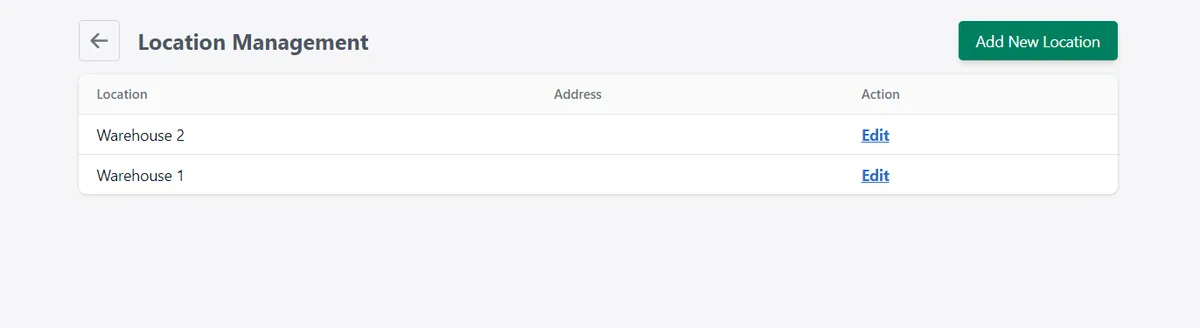
A return location does not replace your review process. As part of your pos hardware shopify operating plan, explain who receives dropped-off items, checks them, and updates the request. Clear responsibility matters when the person accepting the item is not the person deciding its resolution.
Store credit and exchanges instead of cash refunds
Store credit and exchanges can be useful alternatives when they fit your policy and the customer’s situation. Explain the options clearly before confirming a resolution. This guide to store credit for returns and exchanges can help you plan that conversation.
On applicable plans, Yanet’s refund solutions include store credit, discount codes, and gift codes. Confirm the available solutions for your plan before putting them into staff instructions. The app also supports email notifications through the process, helping customers follow their requests.
Finally, test a return scenario alongside your pos hardware shopify checkout rehearsal. Have one staff member act as the customer while another finds the order, records the request, and explains the next step. Include an exchange scenario so the team understands both workflows.
A simple checklist before you buy
Turn your pos hardware shopify research into a written purchase checklist. For each item, record whether it is essential now, useful later, or unnecessary for your current setup.
- How you sell: Choose between a temporary stall, sales-floor service, and a fixed counter, or identify the combination you need.
- Registers and staff: Decide how many checkout positions you plan to operate and who will use each one.
- Cash versus card: Use your expected payment mix to decide whether a drawer belongs in the initial purchase.
- Labels and scanning: Check product identification, label readability, and scanner needs before ordering equipment.
- Counter layout: Measure available space and allow room to handle products, reach devices, and open the drawer.
- Returns plan: Document approval responsibilities, return locations, and the resolutions staff can offer.
- First-year budget: Separate your pos hardware shopify spending from recurring POS costs and confirm current quotes.
Keep the final list specific: device, quantity, expected cost, and purpose. If an accessory has no clear purpose in your checkout walkthrough, reconsider whether it needs to be purchased before opening.
Conclusion
The right pos hardware shopify setup follows your selling environment, not the largest available kit. Start with payment acceptance, then add scanning, printing, and cash handling where they solve a real operational need. Verify compatibility and current prices before ordering.
Give returns the same attention as checkout. Set clear policies, assign responsibilities, and try Yanet Returns & Exchanges to organize requests for in-store and online returns. A prepared team and a defined process matter just as much as the equipment on your counter.
FAQ
What hardware do I need for Shopify POS?
You need a phone, tablet, or POS device running Shopify POS and a way to accept payment. Scanners, receipt printers, and cash drawers depend on your workflow. Shopify also describes smartphone checkout with Tap to Pay for pop-ups and events; confirm the applicable requirements before choosing that setup.
How much does Shopify POS hardware cost?
A typical small-retailer hardware investment is approximately $600–$850, but your selected equipment may cost more or less. Readers are approximately $49–$79, while stands, printers, and drawers add to the total. Using an existing compatible tablet with a Bluetooth reader can lower upfront spending.
Do I need a receipt printer or cash drawer for Shopify POS?
Choose a shopify pos receipt printer if printed receipts are part of your checkout process. A shopify pos cash drawer is unnecessary if you only accept cards, but cash-heavy shops should plan for one. Confirm compatibility and current pricing before buying either accessory.
Can I handle in-store returns alongside Shopify POS?
Plan a return workflow alongside checkout: identify the original order, record the returned item, apply your policy, and decide the resolution. Yanet Returns & Exchanges lets merchants create return or exchange requests on behalf of customers and manage those requests from its dashboard.
Can I use my own tablet with Shopify POS?
Using your own tablet with a Bluetooth card reader can lower upfront costs. Do not assume every tablet and reader combination is suitable, though. Confirm your device’s compatibility and the current requirements on Shopify’s hardware page before purchasing accessories.