
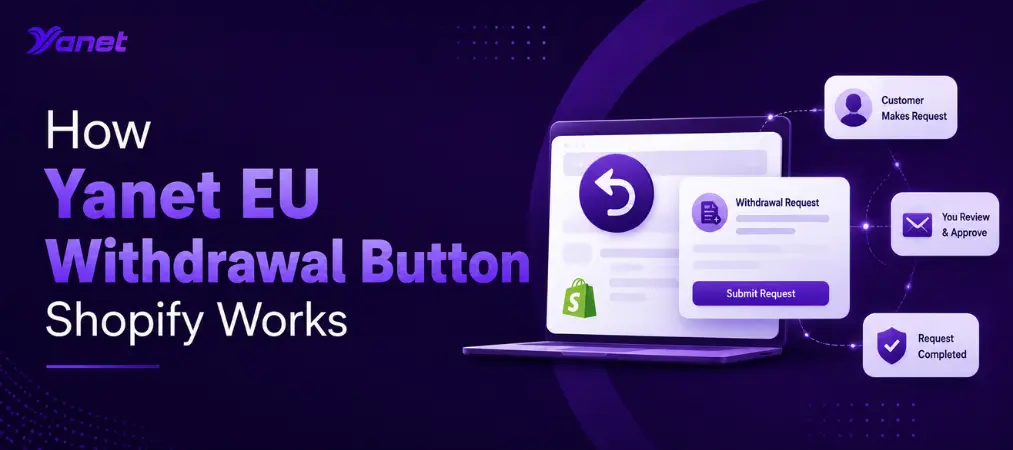
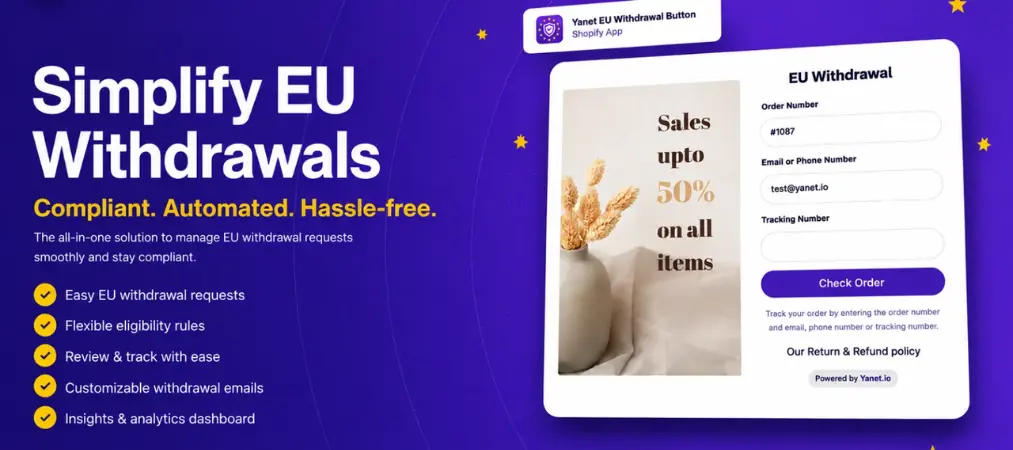
If you sell to customers in the European Union, you already know that EU consumer law gives shoppers the right to change their mind about a purchase within a set period after delivery — commonly known as the right of withdrawal. Handling these requests manually through email or a generic contact form is slow, error-prone, and hard to track once your order volume grows. This is exactly the gap the Yanet EU Withdrawal Button Shopify app is built to close. Instead of juggling spreadsheets and inbox threads, merchants get a dedicated storefront tool that lets EU customers submit withdrawal requests directly, while giving store owners a clear dashboard to review, approve, or reject each case.
In this article, we’ll walk through what the app does, how it fits into a Shopify EU withdrawal workflow, what makes it different from a plain Shopify withdrawal button, and how to decide whether it belongs in your tech stack.
What Is the Yanet EU Withdrawal Button?
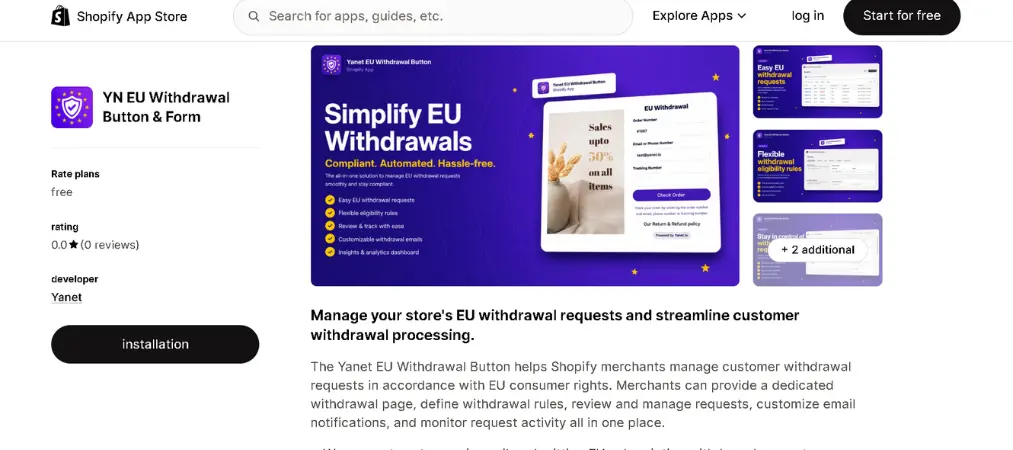
The Yanet EU Withdrawal Button is a Shopify app designed specifically to help stores comply with EU consumer withdrawal expectations without building anything from scratch. Rather than repurposing a generic returns app, it focuses narrowly on the withdrawal use case: a customer decides they no longer want an item, and the merchant needs a structured, auditable way to receive, evaluate, and respond to that request.
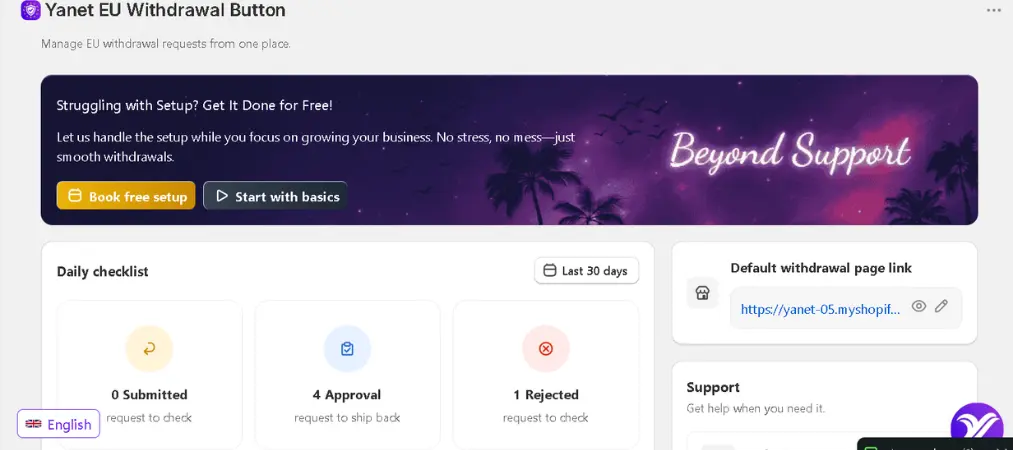
On the storefront side, the app adds a withdrawal page and submission form that customers can access from their account or order history. On the backend, merchants get a management panel where every request is logged, timestamped, and moved through a status pipeline — submitted, under review, approved, or rejected — so nothing gets lost in a shared inbox.
Core Features That Matter for a Shopify EU Withdrawal Button
A Shopify EU withdrawal button is only useful if it actually reduces manual work while keeping the process compliant and transparent. Here’s what the Yanet app brings to the table:
1. Customer-facing withdrawal form
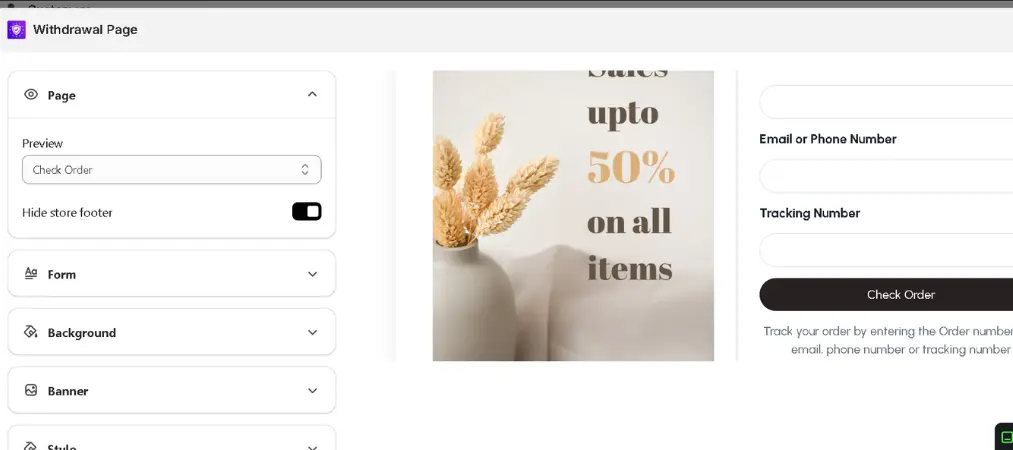
Customers submit requests through a clean, dedicated page rather than emailing support. This cuts down on back-and-forth clarification and gives you consistent data for every case: order number, reason, and requested items.
2. Flexible eligibility rules
Not every order or product should qualify for withdrawal in the same way. The app lets you configure rules based on time windows (for example, how many days after delivery a request is still valid) and product-level exclusions (for items you don’t want eligible, such as personalized or perishable goods).
3. Request review and status tracking
Every submission lands in a central queue where you can approve, reject, or ask for more information. Status changes are tracked, so you and your team always know where a case stands — useful if you have multiple staff members handling customer service.
4. Customizable email notifications
Automated emails keep customers informed at each stage: confirmation of submission, approval, or rejection. Because the templates are editable, you can match the tone and branding of your store instead of sending a generic system message.
5. Analytics and reporting
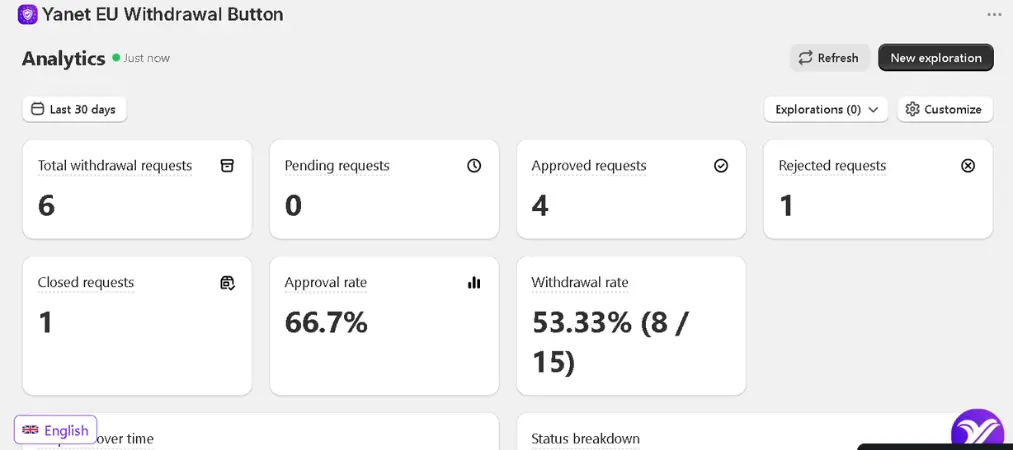
The dashboard surfaces trends over time — total requests, approval rates, and patterns by product or period. This is particularly useful if you want to spot recurring issues, such as a specific product generating an unusually high number of withdrawal requests.
6. Integration with the broader store workflow
The app connects with Customer Accounts and Shopify Flow, so withdrawal events can trigger downstream automations — for instance, notifying a fulfillment team or updating internal records without manual intervention.
Why Merchants Are Looking for a Shopify Withdrawal Button in the First Place
EU consumer protection rules generally give shoppers a cooling-off period — often 14 days from delivery — during which they can withdraw from a purchase without needing to justify the decision. For merchants, the operational challenge isn’t understanding the rule; it’s building a repeatable process around it. Without a dedicated Shopify withdrawal button, most stores end up handling requests case-by-case, which creates a few recurring problems:
- Inconsistent response times, since requests come in through different channels (email, chat, social media).
- No clear audit trail if a customer disputes whether or when they submitted a request.
- Manual bookkeeping for eligibility, especially when different products have different withdrawal windows.
- Difficulty spotting patterns, such as a spike in withdrawal requests tied to a specific SKU or promotion.
A structured tool addresses each of these by centralizing the intake, decision, and communication steps in one place.
How the Yanet EU Withdrawal Button Shopify App Fits Into Setup
Getting started typically follows a simple sequence:
First, install the app from the Shopify App Store and enable the withdrawal page on your storefront, which becomes accessible through customer accounts or order confirmation pages. Second, configure your eligibility rules — decide on the time window and mark any products that should be excluded from withdrawal eligibility. Third, customize your email templates so that confirmation, approval, and rejection messages reflect your store’s voice. Finally, review incoming requests from the dashboard as they arrive, using the built-in status pipeline to keep your team aligned.
Because the app is free to install, it’s a low-friction way for stores selling into the EU to formalize a process that many are currently handling ad hoc.
Shopify EU Withdrawal Button vs. General Returns Apps
It’s worth clarifying the distinction between a Shopify EU withdrawal button and a general-purpose returns and exchanges app. Returns apps are usually built around post-purchase issues like defective items, wrong sizes, or exchanges, and they often assume a reason code tied to a product problem. A withdrawal button, by contrast, is built around a customer’s right to simply change their mind, independent of any fault with the product. The workflows, eligibility logic, and legal framing are different enough that using a purpose-built tool — rather than stretching a returns app to cover withdrawal cases — tends to produce cleaner records and fewer edge cases falling through the gaps.
Who Should Consider This App
This type of tool is most relevant for:
- Shopify stores that ship physical products to customers within the EU.
- Merchants currently handling withdrawal requests manually through email or contact forms.
- Teams that want a documented, timestamped trail for compliance and dispute resolution.
- Stores that want visibility into withdrawal trends rather than treating each request as an isolated event.

If your store doesn’t sell into the EU, or you already have a dedicated legal/compliance workflow for this specific use case, the value proposition will naturally be smaller — but for most EU-facing Shopify merchants, having a dedicated intake and tracking system removes a recurring operational headache.
Final Thoughts
Managing withdrawal requests doesn’t have to mean sorting through scattered emails or guessing whether a request falls inside the eligibility window. A dedicated Shopify EU withdrawal button turns an informal, error-prone process into something structured, trackable, and easy to hand off across a support team. Whether you’re setting up EU compliance for the first time or replacing a patchwork of manual steps, it’s worth evaluating how a tool like this fits your store’s order volume and product mix.
If you want to see the full range of tools this developer offers for Shopify stores beyond withdrawal management, you can browse all Yanet apps here: https://apps.shopify.com/partners/yanet.