
Running a growing Shopify store often means juggling dozens of spreadsheets, supplier emails, and manual restock calculations just to keep inventory flowing. If you’ve ever lost track of which supplier order is still pending or spent hours reconciling payment statuses, you already know how painful manual purchasing can be. This is exactly the gap that Yanet Auto Purchase Orders Shopify was built to close.
In this guide, we’ll break down what the app does, how it fits into your existing Shopify workflow, and why it might be the missing piece in your inventory management stack.
What Is Yanet Auto Purchase Orders?
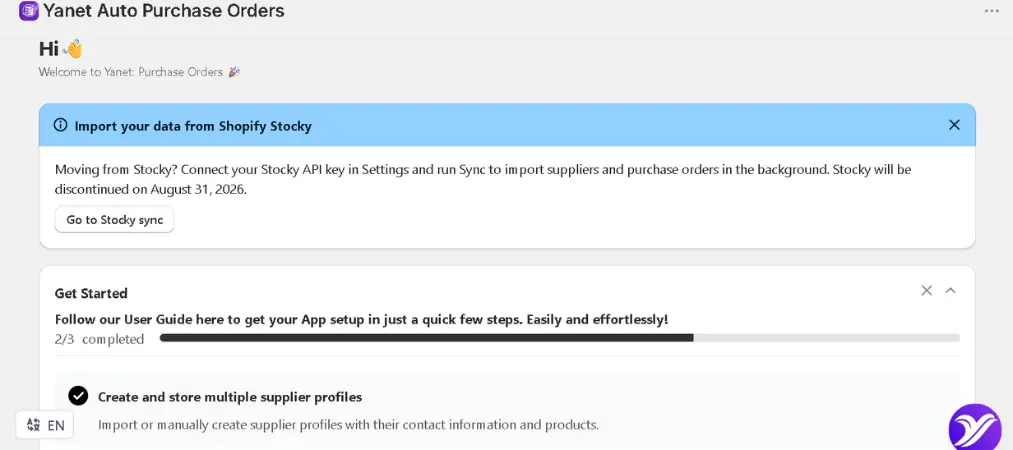
Yanet Auto Purchase Orders is a free app available on the Shopify App Store, designed specifically to help merchants create, organize, and track purchase orders directly from their Shopify admin. Rather than bouncing between spreadsheets, email threads, and your store dashboard, everything related to purchasing lives in one place.
At its core, the app tackles three recurring headaches for merchants:
- Creating purchase orders quickly without a steep learning curve
- Keeping supplier details organized and easy to reference
- Monitoring the full lifecycle of an order, from the moment it’s drafted to the moment it’s marked complete
Because it’s built natively for Shopify, there’s no clunky third-party dashboard to log into separately — you manage purchasing right where you already manage products and inventory.
Core Features of Yanet Auto Purchase Orders Shopify
1. Fast, Intuitive Purchase Order Creation
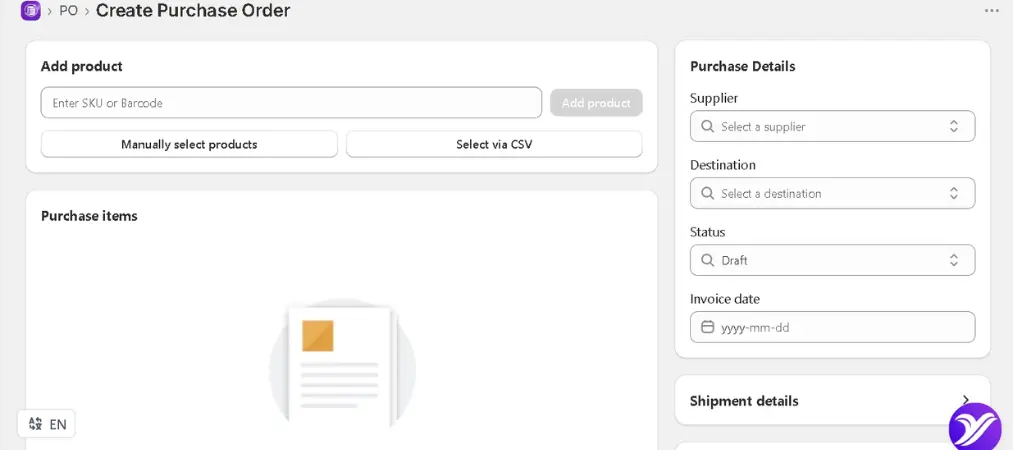
One of the biggest selling points of this app is how little friction there is between deciding you need to reorder stock and actually generating a purchase order. The interface is built so that even merchants without a background in procurement can put together a professional PO in minutes, not hours.
2. Centralized Supplier Management
Instead of storing supplier contact details, pricing agreements, and order history across scattered documents, the app keeps this information organized within a single supplier profile. This becomes especially valuable as your list of vendors grows — you can pull up a supplier’s history instantly rather than digging through old email chains.
3. End-to-End Order Tracking
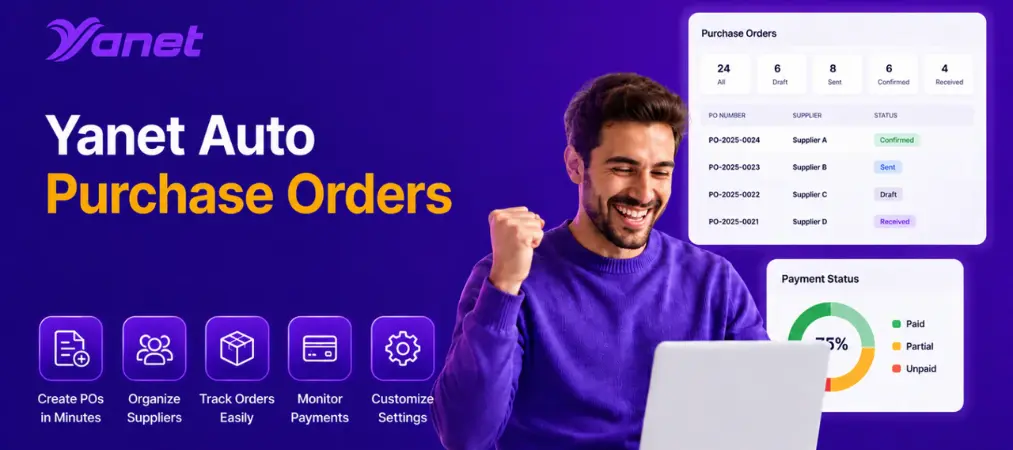
Every purchase order moves through stages — draft, sent, received, and so on. The app gives you visibility into exactly where each order stands, which is critical when you’re managing multiple suppliers with different lead times.
4. Payment Status Monitoring
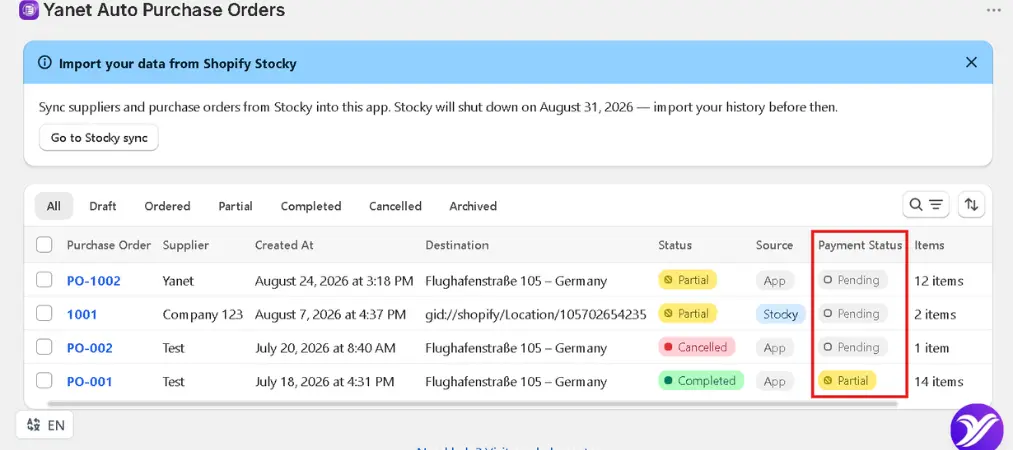
Beyond tracking whether stock has arrived, the app also lets you monitor payment status for each order. This helps prevent the common scenario where a payment slips through the cracks simply because it wasn’t logged anywhere visible.
5. Custom PDF Templates and Data Export
For merchants who need to share purchase orders with suppliers in a specific format, the app supports customizable PDF templates. You can also export PO data when you need it for accounting, reporting, or cross-referencing with other tools.
6. Native Integration with Stocky and Shopify Flow
If you already use Shopify Stocky for inventory forecasting, the app syncs purchase orders and supplier data between the two systems, so you’re not maintaining duplicate records. It also works with Shopify Flow, opening the door to more advanced, rule-based automation around your purchasing process.
Why Shopify Merchants Need Purchase Order Automation

Manual purchasing might work when you have five products and one supplier. It stops working the moment you scale. Here’s why Shopify purchase order automation matters as your catalog and vendor list expand:
- Fewer stockouts. When reordering depends on someone remembering to check inventory levels, gaps happen. Automated, organized purchase orders reduce the chance of running out of your best sellers.
- Less manual data entry. Every manual step — copying SKU numbers, retyping supplier emails, recalculating quantities — is a chance for human error. Automation cuts that risk significantly.
- Better supplier relationships. Suppliers respond well to consistency. Clear, professional purchase orders sent on time build trust and can even improve negotiating leverage over time.
- Time saved for higher-value work. Every hour spent manually building a PO is an hour not spent on marketing, product development, or customer experience.
This is where a dedicated Shopify purchase order app earns its place in your tech stack — not as a nice-to-have, but as infrastructure that supports growth.
How to Get Started with Yanet Auto Purchase Orders
Setting up the app follows a straightforward path:
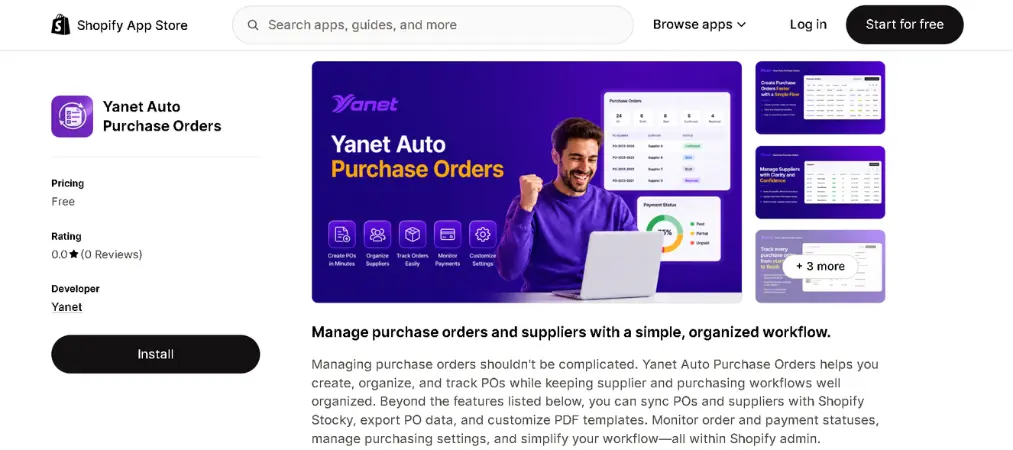
- Install the app from the Shopify App Store directly into your store’s admin panel.
- Add your suppliers. Input contact details, terms, and any relevant notes so each vendor profile is ready to use.
- Create your first purchase order. Select products, quantities, and the relevant supplier, then generate the PO.
- Track the order as it moves from draft to sent to received, updating payment status along the way.
- Customize your settings, including PDF templates, to match how your business actually operates.
Because the app is free and lives inside your existing Shopify admin, there’s minimal onboarding friction — you don’t need to migrate data from another platform or train your team on a completely separate system.
Who Should Use This App?
Yanet Auto Purchase Orders is particularly useful for:
- Merchants managing multiple suppliers who need a single source of truth for purchasing
- Growing stores that have outgrown spreadsheet-based reordering
- Teams already using Shopify Stocky who want purchase orders to sync automatically
- Store owners who want better visibility into what’s owed to suppliers and when
If your current process involves manually tracking orders in a notebook, a shared spreadsheet, or scattered email threads, this app is designed to replace that entire workflow with something far more structured.
Yanet Auto Purchase Orders: A Foundation for Better Inventory Control
It’s worth stepping back to understand why Shopify purchase orders, as a category, matter so much for e-commerce operations. A purchase order isn’t just a formality — it’s the documented agreement between you and your supplier about what’s being ordered, at what price, and under what terms. Without a reliable system to generate and track these documents, discrepancies become almost inevitable: wrong quantities received, forgotten payments, or confusion over pricing agreed weeks earlier.
A dedicated purchase order workflow also creates an audit trail. If a dispute arises with a supplier, having a clear, timestamped record of what was ordered and agreed upon protects your business. This is one of the underrated benefits of moving away from informal purchasing methods toward a structured app-based system.
Final Thoughts
Purchasing doesn’t have to be the most chaotic part of running a Shopify store. With the right system in place, you can move from reactive restocking to a predictable, organized workflow that scales as your business grows. Yanet Auto Purchase Orders Shopify brings purchase order creation, supplier management, and order tracking into one native tool — removing the need for scattered spreadsheets and guesswork.
If you’re looking to explore more tools built to simplify everyday store operations, you can browse the full lineup of apps from Yanet on the Shopify App Store, all designed with the same goal: making Shopify store management simpler.