
Walk into any busy shop and watch what happens at the counter. A cashier picks up a product, aims a scanner, and the right price appears in a split second. That tiny moment depends on a label someone printed correctly weeks earlier. If you sell in person, or plan to, choosing the right tool for Shopify retail barcode labels is one of the least glamorous but most useful decisions you will make.
This guide compares six apps that handle retail barcode labels on Shopify. Each one is checked for what it does well, how it charges, and which type of store it suits. Details come from the apps’ own listings at the time of writing, so confirm current plans before you install anything.
What Is a Shopify Retail Barcode Labels App?
A Shopify retail barcode labels app generates barcode numbers for your products and turns them into printable stickers or tags. It reads product data from your admin, such as title, SKU, price and variant options. It then places that data on a label template you design, and sends the result to your printer.
Most apps in this space cover three jobs. First, they create or assign barcodes and SKUs, usually in formats such as UPC, EAN, GTIN or Code 128. Second, they give you a label designer so the sticker matches your brand and fits your paper size. Third, they print in bulk, so a new shipment of 300 items does not mean 300 manual clicks.
Shopify’s own admin stores barcode values, but it does not give you much control over label layout. That gap is why dedicated barcode labels shopify apps exist, and why the better ones feel like a small design studio attached to your inventory.
Why Good Labels Pay Off at the Counter
Clean, scannable labels do more than speed up checkout. They reduce typing errors during stock counts, make receiving new inventory less painful, and help staff find the right item on a crowded shelf. Labels that include price, size or color also cut the number of questions customers ask.
There is a brand angle too. A neat tag with your logo and a crisp barcode signals that the shop runs a tight operation. For jewelry, apparel and gift items, the label is often the first thing a customer touches.
Top Shopify Barcode Labels App: Brief Comparison Table
| App | Rating | Starting Price | Standout Strength |
|---|---|---|---|
| Yanet Retail Barcode Labels | 4.9 (400+ reviews) | Free, 200 labels per month | Simple and advanced designers with tiered label quotas |
| RF: Barcode Labels Generator | 5.0 (600+ reviews) | Free | Wide printer support and instant barcode generation |
| MS Barcode Labels & Generator | 4.9 (400+ reviews) | Free, 200 labels per month | Pay-as-you-go credits and duplicate reporting |
| BarcodeMan Barcode Labels | 4.8 (90+ reviews) | Free | Drag-and-drop editor with unlimited printing |
| CTS Multi Barcode Labels | 4.9 (90+ reviews) | $9.99 per month | Liquid-code templates for products and orders |
| Airo Retail Barcode Generator | 5.0 (40+ reviews) | Free | Lightweight SKU and barcode generation with duplicate checks |
The Six Apps, Reviewed One by One
1. Yanet Retail Barcode Labels: Flexible Design With Room to Grow
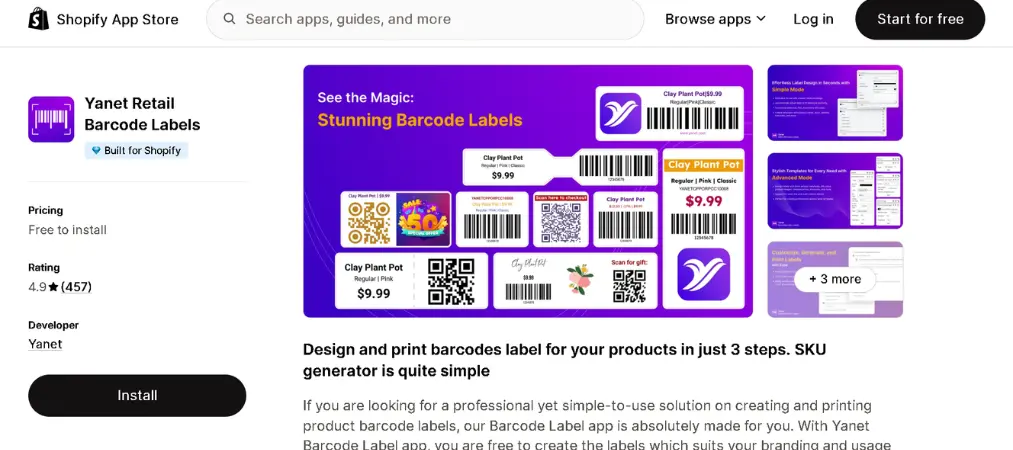
Yanet Retail Barcode Labels is built for merchants who want to design a label once and reuse it everywhere. You choose between a quick, classic template editor and a more advanced designer for complex layouts, and neither requires coding. The app supports several barcode formats and prints labels for many products at once, either by multi-selecting items or by uploading a CSV file. Live chat support is a recurring theme in merchant feedback, with several store owners describing hands-on help with templates and printer settings.
Key Highlights:
- Simple and advanced label designers, no coding needed
- Multiple barcode formats, including UPC, EAN and GTIN
- Bulk printing from multi-selected products or a CSV file
- Smart SKU generator for your catalog
- Staff permission setup on higher plans
- Stocky-based purchase-order printing (availability depends on Shopify’s current Stocky support)
- Available in English, German, French, Japanese, Portuguese (Brazil) and Simplified Chinese
Rating: 4.9 out of 5 from 400+ reviews, and Built for Shopify
Pricing:
| Plan | Price | What You Get |
|---|---|---|
| Free | $0 | 200 labels per month, simple and advanced design, live chat and email support |
| Pro | $7.99 per month ($79.90 per year) | 2,000 labels per month, GTIN generator, priority support |
| Ultimate | $29.99 per month ($299.90 per year) | 25,000 labels per month, user permissions, priority support |
| Unlimited | $69.99 per month ($699.90 per year) | Unlimited labels and barcodes, all features |
Extra labels on lower plans: $15 for 2,000, $30 for 5,000, $60 for 20,000, $300 for 200,000.
Best for: Growing retail stores that want a polished designer, predictable label quotas, and staff permission controls as the team expands.
2. RF: Barcode Labels Generator, a Free Option With Broad Printer Reach
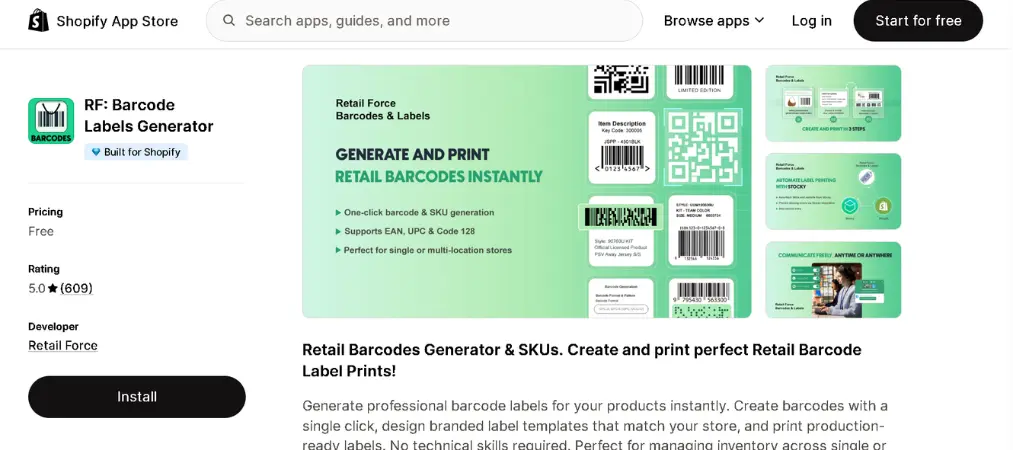
RF: Barcode Labels Generator focuses on speed. You can generate barcodes in one click for a single product or a whole batch, then drop name, SKU, price, options or tags onto a branded template. It lists support for Zebra, Dymo, Brother, Rollo and thousands of other printer and paper brands, which helps if your hardware is a little unusual. It also flags products that are missing a barcode or SKU, so gaps in your catalog are easy to spot. Merchants frequently praise the human, fast-moving support.
Key Highlights:
- One-click barcode generation, single or bulk
- Works with Zebra, Dymo, Brother, Rollo and 2,000+ printer and paper brands
- Supports EAN-8, EAN-13, Code 128, UPC-A and UPC-E
- Custom label details such as name, SKU, price, options and tags
- Finds products with missing barcodes or SKUs
- Works with Shopify POS and barcode scanners
Rating: 5.0 out of 5 from 600+ reviews, and Built for Shopify
Pricing:
| Plan | Price | What You Get |
|---|---|---|
| Free | $0 | Listed as a free app on its Shopify page |
Best for: Budget-conscious stores with mixed or less common printers that want a no-cost way to start printing retail barcode labels shopify merchants can scan right away.
3. MS Barcode Labels & Generator: Credits Instead of Commitments
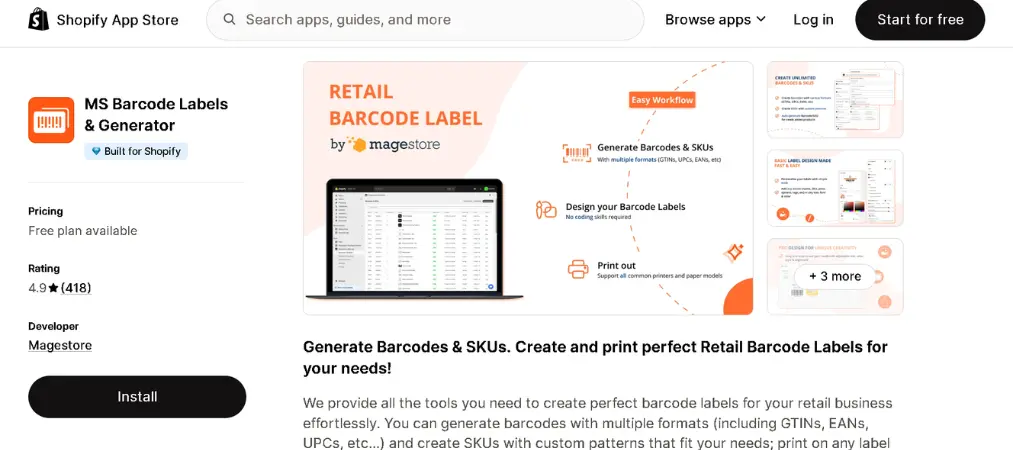
MS Barcode Labels & Generator, from Magestore, pairs a label designer with flexible billing. You can build templates with drag-and-drop or clicks, add a QR code if you need one, and print on almost any paper type or size. One handy extra is a report that surfaces duplicate barcodes and SKUs before they cause scanning confusion. Reviewers like that they can buy extra labels as needed instead of locking into a subscription. One merchant did point out that there is no print preview without spending credits, so test carefully.
Key Highlights:
- Barcode formats including GTIN, EAN and UPC, plus custom SKU patterns
- Drag-and-drop label designer with optional QR codes
- Print from Shopify product pages or Stocky purchase orders
- Duplicate barcode and SKU reporting
- Works with Shopify Admin, POS and Stocky
Rating: 4.9 out of 5 from 400+ reviews, and Built for Shopify
Pricing:
| Plan | Price | What You Get |
|---|---|---|
| Free | $0 | 200 labels per month, 500 gift labels, unlimited barcodes and SKUs, advanced design |
| Standard | $7.99 per month ($79.90 per year) | 2,000 labels per month, priority live chat |
| Pay as you Go | $11.99 one-time | 2,000 extra labels ($22.99 for 5,000; $44.99 for 15,000) |
| Pro | $27.99 per month ($279.90 per year) | Unlimited labels per month |
Best for: Stores with uneven printing needs, such as seasonal retailers, that prefer buying label credits over a fixed monthly plan.
4. BarcodeMan Barcode Labels: Visual Editing at a Low Price
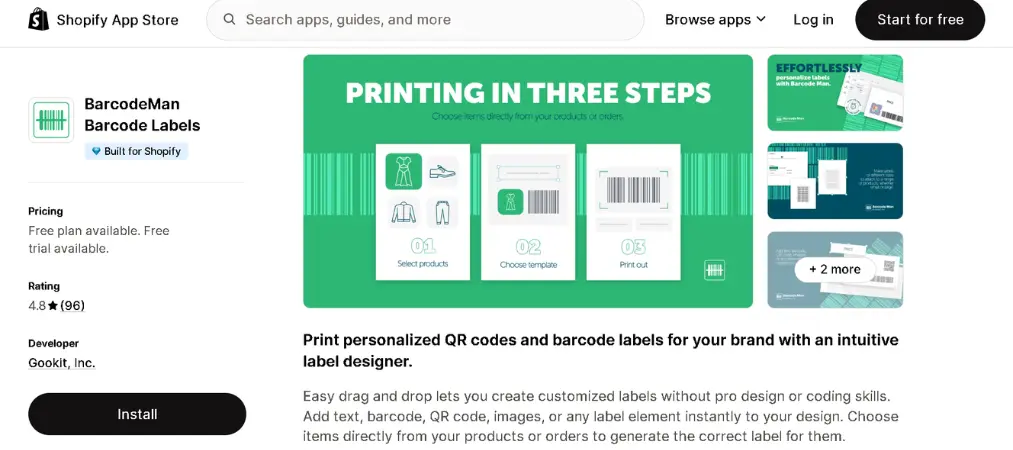
BarcodeMan Barcode Labels has been around since 2020 and leans on a visual, drag-and-drop editor. You can add text, barcodes, QR codes and images, then connect labels to data such as metafields and international pricing. It supports common formats like Code 128, UPC-A, UPC-E, EAN-13, EAN-8 and GS1-128. A review from a long-time user notes that the developer kept pace with Shopify changes and responded quickly to a Code 128 scanning question. The editor is friendly, though the app is English-only.
Key Highlights:
- Drag-and-drop designer for labels of any size
- Links labels to metafields and international pricing
- Random barcode and SKU number generation
- Unlimited label printing on both plans
- Print labels from products, orders and transfers
Rating: 4.8 out of 5 from 90+ reviews
Pricing:
| Plan | Price | What You Get |
|---|---|---|
| Free | $0 | Text label elements, unlimited printing, common and custom layouts |
| Pro | $5.99 per month | Adds QR code, image and barcode elements; 10-day free trial |
Best for: Small shops that want unlimited printing at the lowest paid price and care about metafield-driven label content.
5. CTS Multi Barcode Labels: Liquid Templates for Power Users
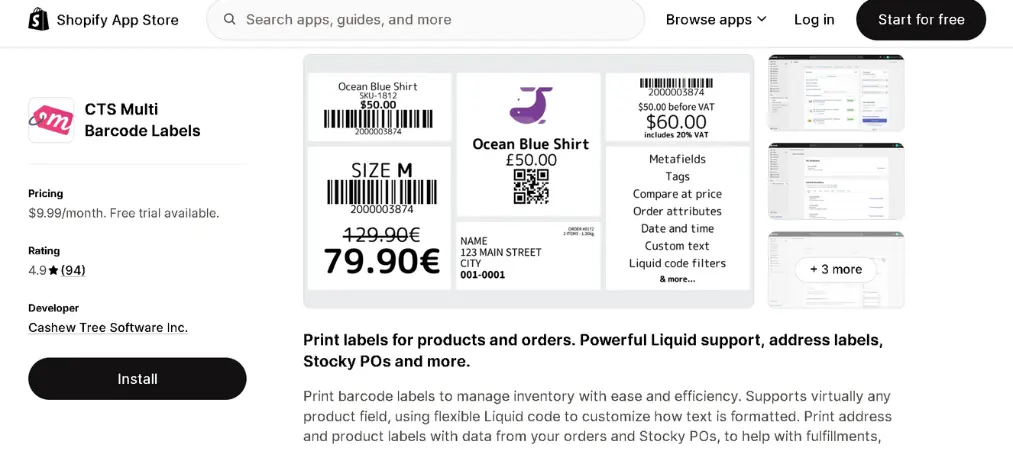
CTS Multi Barcode Labels takes a more technical route. Templates can be customized with Liquid code, fonts, metafields and logos, so you can format almost any product field exactly as you like. It also prints address and fulfillment labels from order data, which is useful beyond the sales floor. The listing mentions compatibility with Dymo, Zebra, Brother, Rollo, TSC, GoDEX, inkjet and laser printers. Merchants highlight responsive developer support, including help building templates for new tag sizes.
Key Highlights:
- Liquid-based template customization
- Product, order and Stocky purchase-order labels
- Sequential barcode and SKU assignment in a few clicks
- QR codes that link to product and order pages
- Unlimited barcodes, SKUs and label templates
Rating: 4.9 out of 5 from 90+ reviews
Pricing:
| Plan | Price | What You Get |
|---|---|---|
| Standard | $9.99 per month | Full access to every feature; 5-day free trial |
Best for: Merchants comfortable with a little code who want exact control over label text, plus order and address labels from the same app.
6. Airo Retail Barcode Generator: Light, Fast and Free
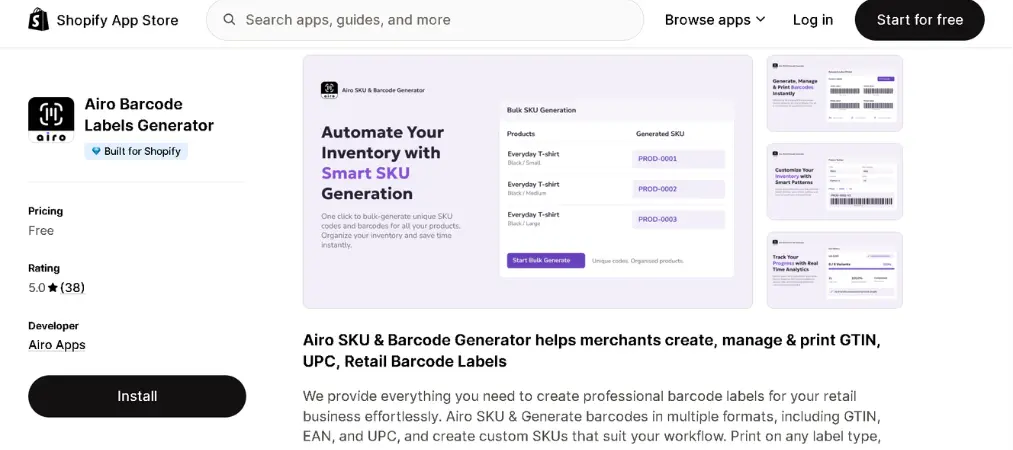
Airo Retail Barcode Generator is the newest app in this lineup, launched in January 2026, and it keeps things simple. It creates SKUs, barcodes and QR codes for products and variants, then prints labels in bulk. Prefix and suffix rules and duplicate checks help keep SKU patterns tidy as the catalog grows. Early reviewers describe it as lightweight and easy to set up, although its review count is still small compared with older apps.
Key Highlights:
- Automatic barcode generation for some or all products
- GTIN, EAN and UPC formats, plus custom SKUs
- Bulk SKU generation with prefixes, suffixes and duplicate checks
- Bulk printing by multi-selecting products or using a CSV file
- Built for Shopify
Rating: 5.0 out of 5 from 43 reviews, and Built for Shopify
Pricing:
| Plan | Price | What You Get |
|---|---|---|
| Free | $0 | Listed as a free app on its Shopify page |
Best for: New stores that mainly need clean SKUs and barcodes generated quickly, without a large feature set.
How to Pick the Right App
Start with your printer. Check that the app lists your model or brand, and run a test sheet before printing a full batch. Label size problems are the most common frustration, so confirm that your exact roll or sheet size can be set up.
Next, think about volume. If you print a few hundred labels a month, a free plan may cover you. If you receive large shipments, compare the cost per label across plans, and look closely at how extra labels are billed. Credit-based pricing suits bursts of activity, while monthly tiers suit steady volume.
Then look at design depth. A simple template may be all a basic shop needs, but jewelry, apparel and gift stores often want logos, prices, size tags and variant details on one small label. Apps with advanced designers or Liquid templates give you that freedom. Staff permissions matter once more than one person prints labels.
Finally, test support before you commit. Several apps above are praised for live chat that actually helps with printer configuration. A quick question during your trial tells you more than any feature list. If you rely on Stocky purchase orders, verify current availability, since Shopify has been changing how that app is supported.
FAQ About Shopify Retail Barcode Labels
Which Shopify barcode labels app is best for free use?
It depends on what “free” needs to cover. RF: Barcode Labels Generator and Airo Retail Barcode Generator are listed as free apps. Yanet and MS Barcode Labels & Generator include 200 free labels per month, while BarcodeMan’s free plan allows unlimited printing but limits you to text label elements.
Can I print retail barcode labels in bulk?
Yes. Yanet and Airo let you print for many products at once by multi-selecting items or uploading a CSV file. RF and MS also support bulk generation and printing.
Which printers work with these apps?
RF and CTS both list support for Zebra, Dymo, Brother and Rollo printers, and CTS also mentions TSC and GoDEX. Yanet and MS describe printing on different paper sizes and printer types. Run a test sheet with your own printer before printing a full batch.
Do I need to buy barcode numbers before using these apps?
Not for in-store use. These apps generate barcode numbers and SKUs for your own inventory and scanning. If you plan to list products on marketplaces that require registered GTINs, check each marketplace’s requirements first.
Final Thoughts
Printing Shopify retail barcode labels does not have to be a headache. Free tools such as RF and Airo cover the basics, MS and BarcodeMan add flexibility in billing and editing, CTS rewards technical users, and Yanet offers a balanced mix of design options and scalable plans. Install two or three, print a test batch, and let your own printer and catalog decide.
To see everything else available for your store, you can explore the full range of apps from Yanet at https://apps.shopify.com/partners/yanet.