
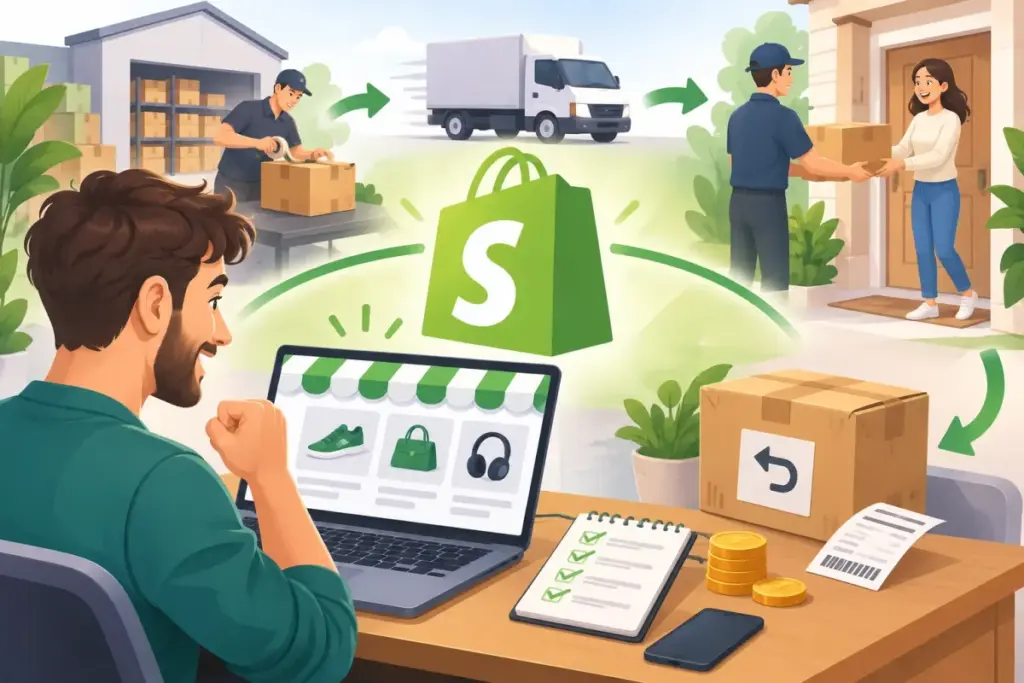
shopify dropshipping lets you sell products through your own store while a supplier holds the stock and ships orders to customers. You manage the storefront and customer relationship without buying inventory in advance. This guide walks you through eight steps to launch, then explains how to manage daily orders, returns, refunds, and exchanges without leaving customers waiting for answers.
What Is Shopify Dropshipping and How Does It Work?
The shopify dropshipping model follows a simple sequence: you list a product, a customer pays your store, you send the order to your supplier, and the supplier ships directly to the customer. What remains after product costs, shipping, fees, marketing, and other expenses is your profit—not the entire difference between your selling price and supplier price.
Unlike holding inventory, dropshipping in shopify does not require you to purchase stock before making a sale. However, you still need money for samples, store expenses, marketing, and problems such as replacements or refunds. Customers bought from you, so they will expect you to resolve those problems.
Imagine you sell a desk lamp. The customer sees your store, your photos, your price, and your policies. They never see the supplier, so a late parcel or a broken lamp becomes your problem to solve, even though you did not pack it yourself.
What You Control in Shopify Dropshipping
You control your branding, listings, prices, policies, and customer service. Your supplier controls stock availability, packing, and dispatch. Making shopify and dropshipping work together means setting customer expectations around what your supplier can reliably deliver.
Who Shopify Dropshipping Suits
This model suits people who want to test product ideas without buying stock first, and who are comfortable doing research, writing listings, and handling customer messages. It suits you less if you need full control over packaging, speed, or product quality, because those depend on your supplier. Some merchants start with dropshipping using shopify and later move popular items to their own stock.
Pros and Cons of Dropshipping Using Shopify
Before choosing shopify dropshipping, weigh the operational trade-offs—not just the appeal of selling without a warehouse.
Advantages:
- Low upfront inventory commitment: You do not need to buy a batch of products before testing demand.
- Easier product testing: You can assess interest before committing to a larger range.
- Location flexibility: You can manage the business remotely, provided you can handle orders and customer questions consistently.
Disadvantages:
- Thin margins: Shipping, payment fees, advertising, and returns can absorb your markup.
- Supplier dependence: Stock errors and poor packing affect your reputation.
- Potentially longer shipping: Delivery depends on the supplier’s location and fulfillment process.
- Customer service remains yours: You handle complaints, returns, and refund expectations even when the supplier caused the problem.
How to Start Shopify Dropshipping: 8 Steps
Build your shopify dropshipping store in this order so you validate the product and supplier before spending heavily on design or advertising. Start with a small, manageable range rather than a catalog you cannot properly check.
Step 1: Choose a Dropshipping Niche
A good shopify dropshipping niche combines a clear customer problem with enough margin to cover the complete cost of selling. Choose something you understand or are willing to research thoroughly; that knowledge will help you write useful listings and answer questions.
- Look for products that solve a specific, explainable problem.
- Check whether the likely selling price leaves room for expenses.
- Prefer items that are not especially fragile or complicated.
- Consider how easily customers can choose the correct product.
When starting dropshipping using shopify, avoid sizing-heavy categories initially. Fit uncertainty can generate more returns and make product selection harder for beginners.
Step 2: Validate Demand and Check Competition
Review search trends, marketplace listings, competitor stores, and social media discussions. Look for evidence of an ongoing need rather than relying on one popular post. Compare how competing stores explain the product, present delivery information, and answer common concerns.
Read negative reviews carefully. Complaints about unclear dimensions, weak materials, or slow delivery reveal what you must investigate before selling. Your research into shopify and dropshipping should produce a clear answer to this question: why would someone buy this product from your store rather than an existing seller?
Keep a short list of two or three product ideas and score each one on demand, margin, supplier reliability, and return risk. A simple comparison like this keeps your shopify dropshipping launch based on evidence rather than excitement about a single product.
Step 3: Find Reliable Dropshipping Suppliers
Your supplier is a critical part of your shopify dropshipping operation. Compare product quality, shipping destinations, dispatch times, tracking availability, and communication. Ask about branded invoicing and packaging options rather than assuming your branding will appear inside every parcel.
You can explore dropshipping apps in the Shopify App Store while researching sourcing options. Evaluate each option against your actual product and destination requirements.
Order samples and inspect the packaging, product, and delivery experience. Get return and refund terms in writing, including the return address, evidence requirements, deadlines, and who pays when an item arrives damaged or incorrect.
Step 4: Set Up Your Shopify Store
Create your store and choose a clean theme that makes products, delivery information, and contact details easy to find. Keep your logo, colors, image style, and tone consistent rather than spending weeks perfecting decorative details.
For dropshipping in shopify, prepare About, Contact, Shipping, Returns, and Privacy pages before launch. Check the store on a phone: navigation should be clear, text readable, and purchase buttons easy to use. Make sure shoppers can find shipping and return information without searching through unrelated pages.
Trust matters more when customers have never heard of your brand. A clear contact page, a real support email address, and plain-language policies help hesitant visitors feel comfortable completing their first purchase.
Step 5: Add Products and Write Listings
Add products through a supplier app or enter them manually, depending on your setup. For each shopify dropshipping listing, replace generic supplier copy with a clear explanation of the product’s purpose, materials, dimensions, limitations, and included items.
Use clear photos and accurate variant information. Explain sizing or compatibility where relevant, and state honest delivery estimates. If a picture includes accessories that are not supplied, say so. Details that prevent a mistaken purchase can also prevent a return later.
Step 6: Price Products and Set Shipping Expectations
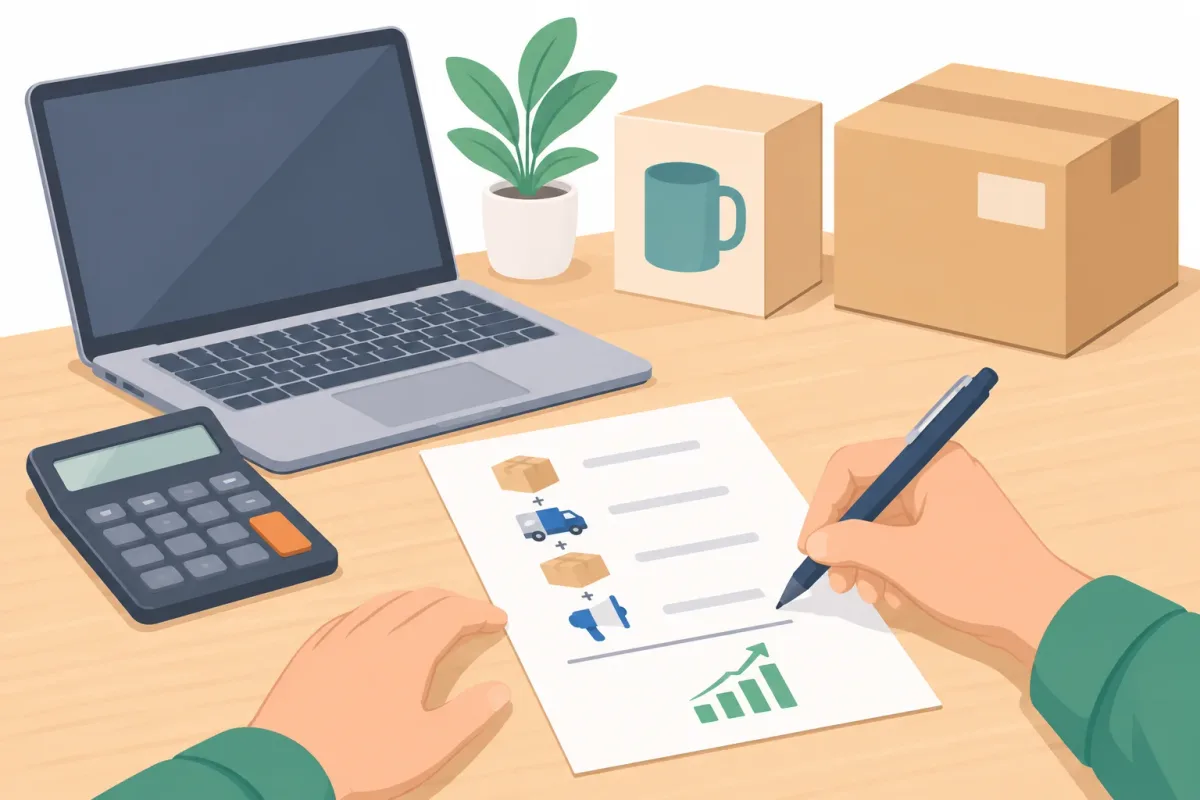
Calculate your shopify dropshipping margin before publishing a price. Start with the selling price and subtract product cost, shipping, payment processing fees, advertising cost per sale, and an allowance for expected returns. Also account for ongoing store expenses when assessing overall profitability.
For example, a product with an attractive supplier price may become unprofitable once delivery and customer acquisition are included. With shopify and dropshipping, cheap sourcing alone is not a pricing strategy. Show realistic delivery windows and distinguish order processing from transit time so customers understand the full wait.
Step 7: Set Up Payments and Place a Test Order
Configure an appropriate payment gateway and check the checkout experience. Place a test order using the testing approach available for your payment setup, then verify the order details, confirmation emails, shipping charges, and customer contact information.
Check the supplier handoff separately: can the supplier receive the correct product, variant, quantity, and address? Verify how tracking gets back to your store and customer. Test the full journey, not just whether the checkout button works.
Step 8: Launch and Market Your Store
Launch your shopify dropshipping store with a focused marketing plan. Demonstrate the product through organic social content, answer buying questions through useful search-focused content, and offer visitors a clear reason to join your email list.
Consider paid advertising once you see credible product-market signals, such as relevant visitors buying and receiving products successfully. When dropshipping using shopify, measure conversion, acquisition cost, delivery problems, and returns before increasing spend. More orders will amplify weak margins or supplier problems rather than fix them.
How to Run Daily Operations in Shopify Dropshipping
Daily shopify dropshipping work starts with checking new orders and forwarding them to suppliers, manually or through your chosen supplier app. Confirm that orders were accepted rather than assuming a notification means fulfillment is underway.
A Daily Shopify Dropshipping Check
- Review supplier stock and pause unavailable products or variants.
- Follow up on orders that have not moved within the promised processing window.
- Check that customers receive the correct tracking numbers.
- Review delivery exceptions and unanswered customer messages.
For “where is my order?” questions, check the latest tracking event and supplier update before replying. Give the customer a clear explanation and a date for your next update, even when you cannot promise a delivery date.
If an order has not shipped, it may be better to cancel the order on Shopify than arrange a return later. Confirm the supplier can stop fulfillment before promising cancellation.
Keep Customers Informed
Silence causes most support tickets. Send tracking details as soon as the supplier provides them, and write to customers proactively when a delay appears. A short, honest message usually costs less than a chargeback or a refund request caused by uncertainty.
Keep order notes with supplier responses and customer commitments. This makes dropshipping in shopify easier to manage when several delayed orders or support conversations overlap.
Set aside a fixed time each day for these checks. A steady routine keeps shopify dropshipping manageable as order volume grows, and it helps you spot supplier problems before customers notice them.
How to Handle Returns, Refunds and Exchanges in Shopify Dropshipping
Why Returns Are Harder in Dropshipping
With shopify dropshipping, you may never touch the product, yet you must resolve complaints about its condition or suitability. The supplier may be overseas, its policy may differ from yours, and return shipping can cost more than the item. Agree on responsibilities before accepting orders, not after receiving your first return request.
Customers do not care whose warehouse made the mistake. They expect a clear answer from the store they paid, so your return process must be easy to find and simple to follow.
Write a Return Policy That Matches Your Supplier
Check supplier terms first, then define your return window, return-shipping responsibility, non-returnable items, and damaged or wrong-item procedures. For the order-management steps, consult Shopify’s guide to refunding and cancelling orders.
Your shopify dropshipping policy should explain any photo or video evidence customers need to provide. Keep requirements clear and reasonable, and distinguish your customer-facing responsibilities from any reimbursement you expect from the supplier.
Settle each common scenario before launch, so you are not inventing answers while a customer waits:
| Scenario | What to decide in advance |
|---|---|
| Wrong item received | Evidence required, replacement or refund, and who covers return shipping |
| Damaged on arrival | Photo or video proof, claim route with the supplier, and response time |
| Customer changed their mind | Whether you accept it, return window, and who pays shipping back |
| Wrong size or variant ordered | Exchange first, store credit, or refund |
Decide Where Returned Items Go
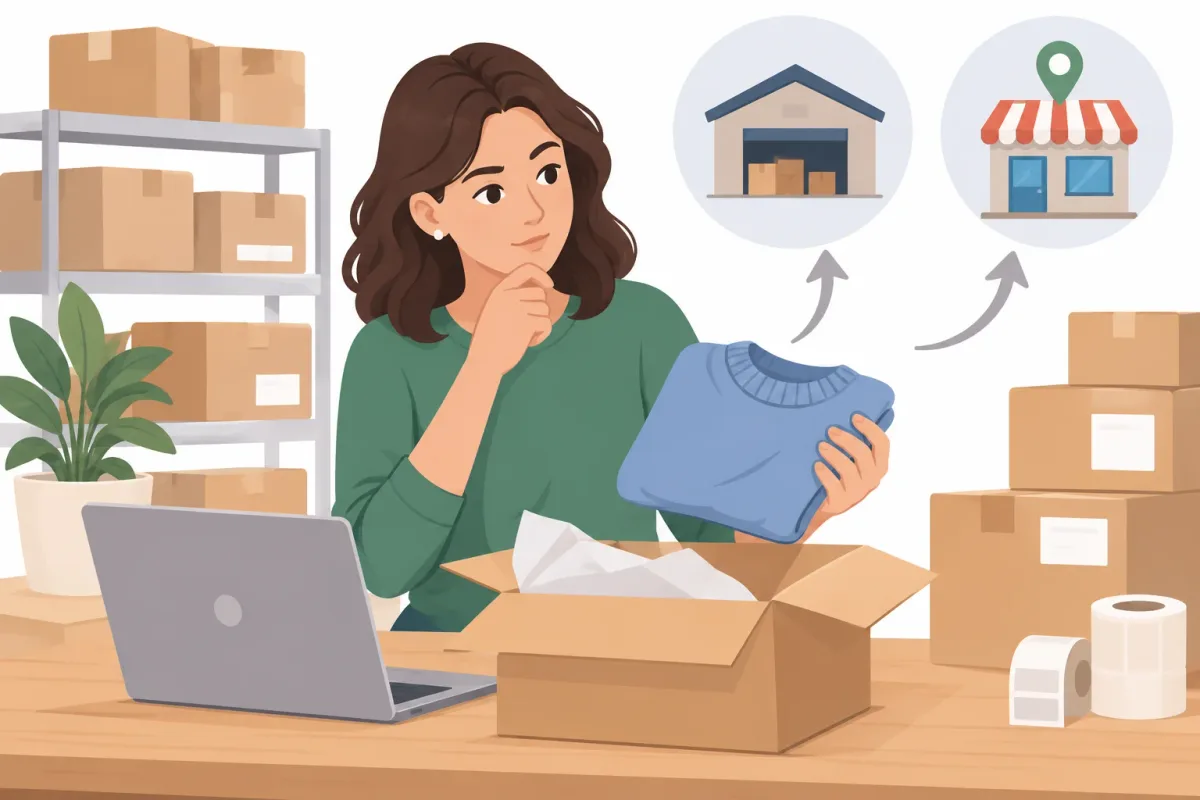
Options include returning to the supplier, using a local return address you control, or deciding that the customer can keep or dispose of the item while receiving a refund. Yanet lets you create return locations and integrates with EasyPost, FedEx, and Shippo to create and send return shipping labels.
Choose the destination before sending instructions. A keep-or-dispose resolution is a merchant decision based on the circumstances, not a default recommendation for every return.
Set Up a Returns Portal with Yanet Returns & Exchanges
A self-service portal gives shopify dropshipping customers a structured alternative to email back-and-forth. Install Yanet Returns & Exchanges and enable the Return Page.
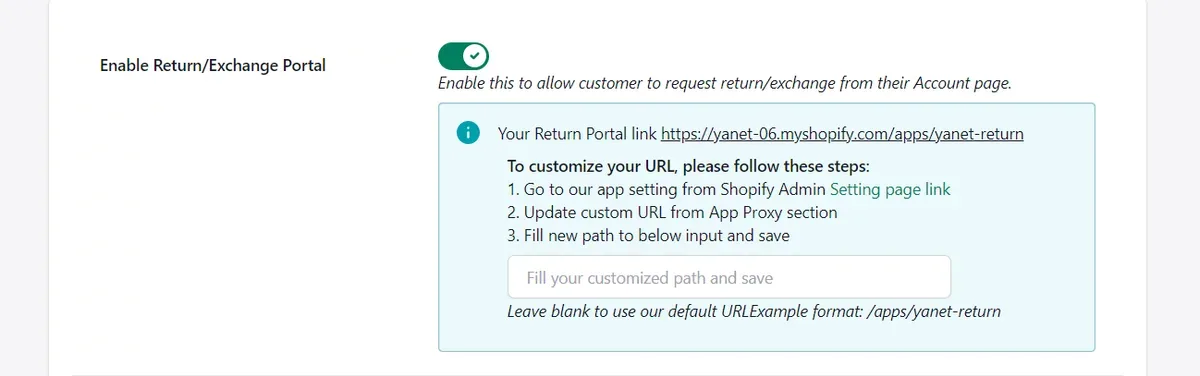
Brand the page with your banner, font, and button color. Then configure the process around the policy you have agreed with your supplier:
- In Settings > Reasons, add return and exchange reasons. Reasons can require video evidence.
- In Settings > Rules, set rules using order date, fulfillment date, product tags, collections, and return windows. Mark non-returnable items.
- Choose options in Settings > Refund methods and carriers in Settings > Shipping Carriers.
- Turn on email notifications. Add the Return Page link through Content > Menus, then test with a fulfilled order.
Use the step-by-step Shopify return portal guide while checking your setup. After a request arrives, approve or decline it; for an approved return, mark it Received, then Checked. Optionally restock to a chosen warehouse, then click Refund to send it through the customer’s selected method.
Offer Exchanges and Store Credit Instead of Refunds
Thin shopify dropshipping margins make retaining a sale valuable, but customers must understand and accept the option offered. Same product/variant exchanges are available on all plans; different product/variant exchanges require Professional.
The Free plan includes Shopify store credit and discount-code refunds. Gift code refunds are available on Professional. Explain the difference between these options and a payment refund before the customer chooses.
Refunds: Set Timing Expectations
Tell customers when you will issue the refund and which review steps happen first. Distinguish approving a return from issuing its refund; these are separate milestones.
Once issued, when the refund appears depends on the payment method. Explain how long Shopify refunds take without promising one arrival date for every customer.
Yanet Returns & Exchanges Plans
- Free, $0: 6 requests per month, a customizable portal, rules and reasons, same product/variant exchanges, store credit and discount-code refunds, 16 languages, email notifications, and multiple carriers.
- Professional, $9.99/month: 80 free requests per month, then $0.20 per extra request, different product/variant exchanges, packing slip, gift code refunds, return/exchange fees and rewards by conditions, priority support, and a 14-day free trial.
- Ultimate, $29.99/month: Unlimited requests, everything in Professional, Automation Approval, dedicated priority support, and a 14-day free trial.
All plans are billed in USD. The app is Built for Shopify and rated 4.8 on the Shopify App Store from 275 reviews.
A returns app supports your shopify dropshipping workflow; it does not replace supplier agreements. Consumer-law requirements vary by country. Treat this as operational guidance, not legal advice.
Common Mistakes in Shopify Dropshipping
- Skipping sample orders: Inspect the product and packaging before asking customers to trust them.
- Giving vague delivery estimates: Explain processing and transit separately, using supplier evidence.
- Copying supplier descriptions: Rewrite listings to answer your customers’ actual questions.
- Launching without a return policy: Set eligibility, destinations, and responsibilities first.
- Ignoring supplier stock: Review availability so you do not keep selling unavailable variants.
- Scaling ads too early: Confirm margins, delivery performance, and support capacity before increasing order volume.
Conclusion
Successful shopify dropshipping starts with eight practical steps: choose a niche, validate demand, vet suppliers, build your store, create accurate listings, price carefully, test checkout, and launch thoughtfully. Then keep stock, tracking, and customer communication under control.
Making shopify and dropshipping work long term also requires a return process customers can understand. Agree on supplier responsibilities, publish clear rules, and test the customer journey before problems arise. Install Yanet Returns & Exchanges to set up a branded portal and manage return, refund, and exchange requests.
FAQ
Is Shopify dropshipping profitable?
It can be, but there are no guarantees. Profit depends on product margins, shipping costs, advertising costs, payment fees, returns, and operating expenses. Calculate profit after all these costs rather than judging a product by its markup alone.
How much does it cost to start dropshipping using Shopify?
Budget for a Shopify subscription, any paid theme or apps you choose, product samples, marketing, and payment processing fees. Keep additional funds available for refunds, replacements, and supplier issues. Your starting cost depends on your setup and how you attract customers.
Can you do dropshipping in Shopify without inventory?
Yes. Your supplier holds the inventory and ships orders directly to customers. You still manage the storefront, pricing, customer communication, and problem resolution. Not holding stock does not remove your responsibility for the customer experience.
How do you handle returns in Shopify dropshipping?
Start with the supplier’s written return policy, decide where returns go, and publish clear customer instructions. Use a portal to collect requests and supporting evidence, then review the return and communicate the outcome. Yanet’s Free plan includes 6 requests per month, making it an option for testing a structured shopify dropshipping returns workflow.